
Bank Statement Parser
Convert any PDF bank or credit card statement to Excel, CSV, JSON, or push to QuickBooks, Sheets, Zapier, and your own API. Any bank, any layout, even faded scans — 99% accuracy. No templates.
Free forever (30 pages/mo). Any bank · any output format · no template setup.
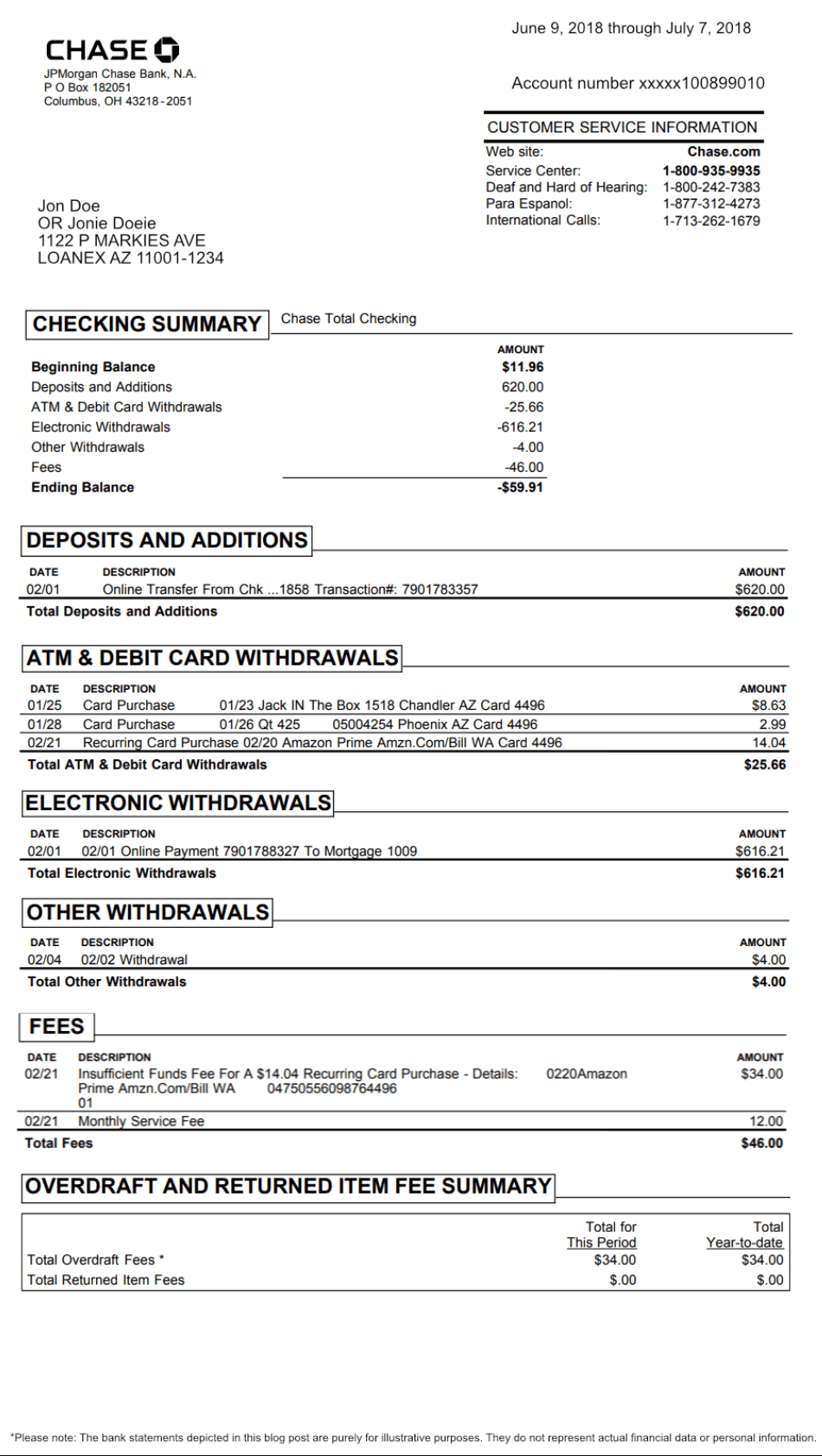
STRUCTURED · 12 TRANSACTIONS
Jun – Jul 2018
Bank statement → Parsli → Google Sheets · structured data in <3s
Trusted by bookkeepers, finance teams, and developers parsing bank statements at scale


99%
Transaction Accuracy
<3s
Per Page Parsed
Any
Bank · Card · Currency
$0
Free To Start (30 pg/mo)
From PDF statement to structured data in 3 steps
Step 1
Send the statement
Upload a PDF in the web app, forward statement emails to your parser address, or POST via API. Any bank, any layout, any country — including scans and mobile photos.
Step 2
AI extracts every transaction
Vision-AI reads each line: date, description, amount, running balance. Header fields (account number, period, beginning/ending balance) extracted too. Recurring vendors auto-categorized.
Step 3
Export anywhere
Download as Excel/CSV/JSON, push to Google Sheets via live IMPORTDATA, send to QuickBooks or Xero for accounting, fire off webhooks, or pull via REST API. Same structured data, any destination.
Flexible Data Capture
Every transaction, structured for export
Parsli reads each line on the statement and turns it into structured rows — header metadata, every transaction, fees, balances. Identical schema across all output formats, so your Excel, Sheets, and API outputs match exactly.
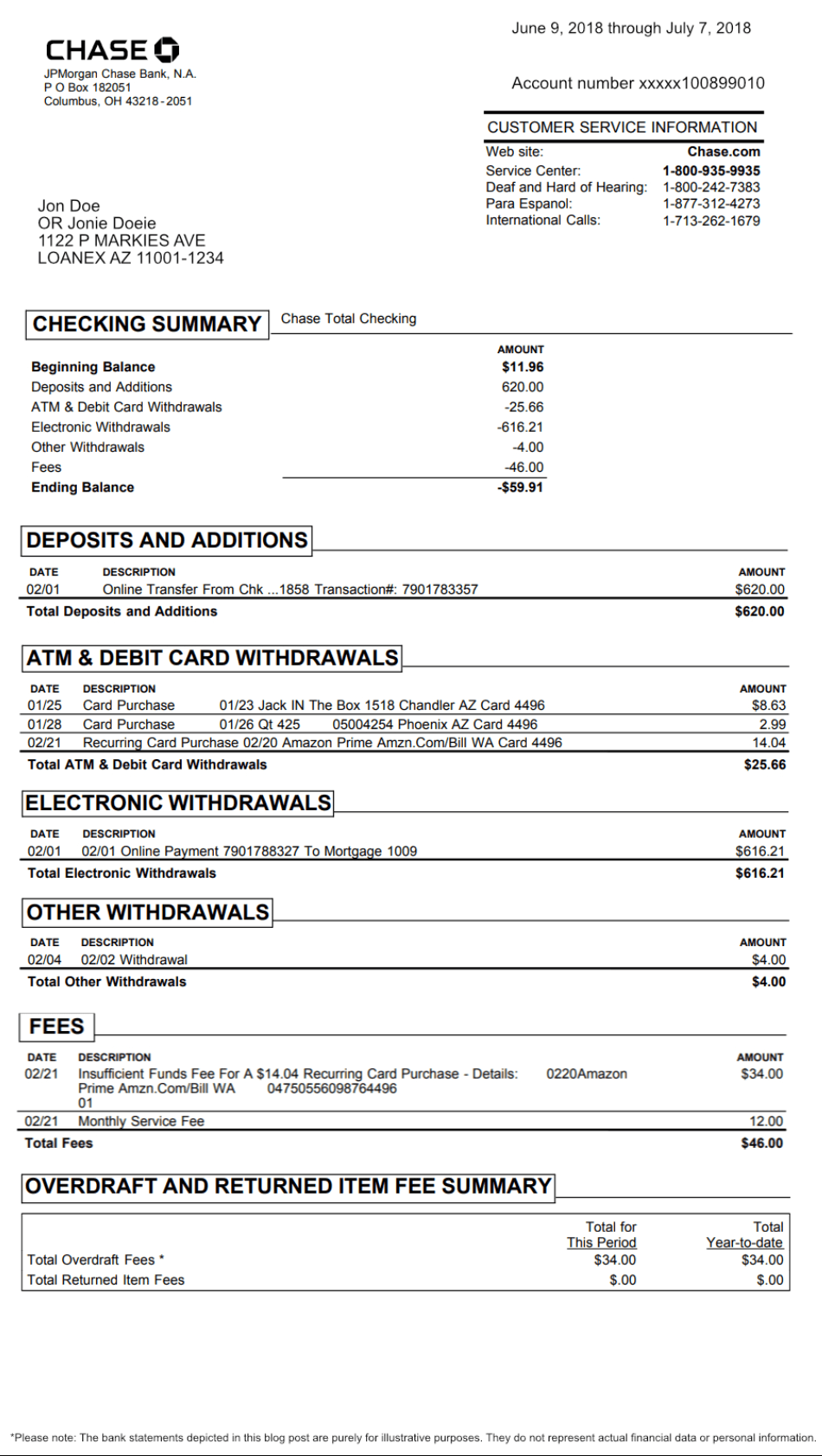
BankName
Issuer of the statement
AccountNumber
Masked account identifier
AccountHolder
Primary account holder
StatementPeriod
Period covered by the statement
BeginningBalance
Opening balance for reconciliation
EndingBalance
Closing balance
TotalDeposits
Deposits and additions for the period
TotalFees
All fees — bank service, NSF, overdraft
Transactions
Every line item — date, description, amount, balance
Categories
Auto-applied per vendor pattern, customizable
Free forever (30 pages/mo). Export to Excel, CSV, JSON, or any system.
See bank statement parsing in action
Upload a PDF statement, watch Parsli extract every transaction with categorization, and push to Excel, Google Sheets, QuickBooks, Zapier, or any HTTPS endpoint — all in about three seconds.
No credit card required. Cancel anytime.
What our customers say
“We do month-end reconciliation for 40 clients. Every one of them had a different bank statement format and most aren't on QuickBooks' bank feed. Parsli reads any PDF and we export to whatever each client needs — Sheets for some, QuickBooks for others, Excel for the holdouts.”
Priya K.
Bookkeeping Practice Owner, Accounting Firm
“I needed bank statement → JSON for an internal cash-flow dashboard. Wrote three lines of curl against the Parsli API and the parsed transactions came back exactly as I needed. Took an afternoon to replace what would've been a months-long OCR project.”
Marcus T.
Engineering Lead, Series A Fintech
Built for the bank statements legacy tools can't read
Any Bank · Any Layout · Any Country
Chase, BofA, Wells, regional banks, credit unions, international banks, business credit cards. No per-bank templates — the AI adapts. Multi-currency statements handled natively.
Handles Scans, Photos, Faded Prints
Vision-AI reads visually — not by character matching. Faded scans, mobile photos, rotated pages all extracted at 95%+ accuracy. Traditional OCR collapses on these; Parsli doesn't.
One Schema, Any Output Format
The same extracted data exports to Excel, CSV, JSON, Google Sheets, QuickBooks, Xero, Zapier, webhooks, or REST API. Identical schema across destinations — no rework when you switch tools.
Export bank statement data anywhere
Pick the destination that fits — one-off file downloads for ad-hoc work, live integrations for ongoing reconciliation, or developer pipelines for custom workflows.

Excel · CSV download
One-click download of every transaction as Excel (.xlsx) or CSV. Open it, pivot it, send it — formula-safe column structure, header row included.
Google Sheets
Live IMPORTDATA URL — your Sheet auto-refreshes when new statements are parsed. Pivot, chart, share without re-importing.
QuickBooks · Xero
Push parsed transactions directly to QuickBooks Banking or Xero — categorized, with the source PDF attached for audit. Native OAuth integration.

Zapier · Make · Power Automate
Trigger 5,000+ apps when a statement finishes parsing. Route to Notion, Airtable, Slack, your ERP — anywhere.
Webhooks
POST extracted transactions as JSON to any HTTPS endpoint in real time. Bring your own dashboard, ERP, or data warehouse.
REST API
Full-featured REST API. Bearer token auth. POST a PDF, get structured JSON back — perfect for embedding bank parsing into your product.
Free forever (30 pages/mo). Export to any system in 2 minutes.
Parsli vs. Docparser vs. Parseur
Docparser needs a parsing rule per bank layout. Parseur uses Vision-AI like Parsli — but at 10× the per-page cost. Here's the side-by-side.
| Feature | Others | Parsli |
|---|---|---|
| Approach | Docparser: parsing rules per layout · Parseur: Vision-AI | Vision-AI — no templates |
| Regional banks · credit unions · foreign banks | Docparser: custom rule per bank · Parseur: works | Works out of the box |
| Scanned / photo / faded statements | Docparser OCR collapses at 30–60% · Parseur: handled | 95%+ accuracy regardless of quality |
| Multi-page statements | Docparser: per-template page rules | Whole statement, in order, every time |
| Free tier | Docparser: 14-day trial · Parseur: 20 credits/mo | 30 pages / month forever |
| $99/mo plan | Parseur: 1,000 pages · Docparser: limited tier | 5,000 pages (2¢/page) |
| QuickBooks export | Both: routed through Zapier middleware | Native Intuit OAuth — direct, free |
| Output formats | Excel · CSV (paid extras for more) | Excel · CSV · JSON · Sheets · QB · Xero · Zapier · API |
No credit card required. Cancel anytime.
Simple volume-based pricing
Get 2+ months for free!
How many pages do you process per month? Move the slider.
0 pages / month
What's included?
- 1 page = 1 credit
- 0 credits valid for a month
- Credits renew every month
- Cancel at any time
- Invite team members
- Advanced post-processing
- Email support
Frequently asked questions
Stop retyping bank statements
Drop in a PDF, get structured transactions out — in Excel, Sheets, QuickBooks, JSON, or anywhere else. Three seconds per statement, no template setup, no credit card.
No credit card required. Cancel anytime.
“We do month-end reconciliation for 40 clients. Every one of them had a different bank statement form...”— Priya K., Accounting Firm