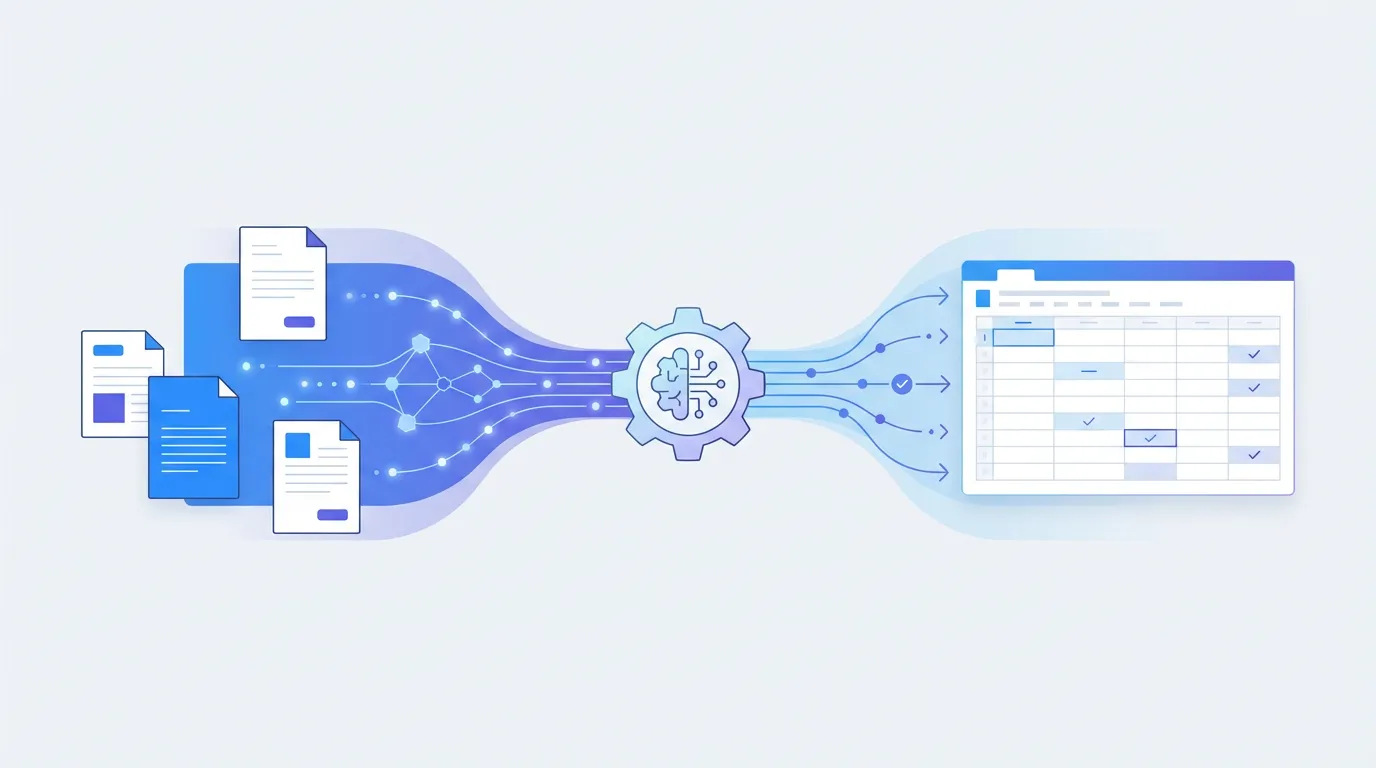
- -Invoice data extraction covers three zones: header fields, line items, and footer totals — AI handles all three without templates
- -Template-based tools break when vendor invoice formats change; AI-powered tools adapt automatically — Template-based tools break when vendor invoice formats change; AI-powered tools adapt automatically
- -n8n and Zapier integrate with Parsli to create end-to-end invoice automation workflows — n8n and Zapier integrate with Parsli to create end-to-end invoice automation workflows
- -AI extraction accuracy on standard invoices is typically 95–99% — plan for a human review step during initial setup
- -Parsli's Gmail integration processes emailed invoices without any manual upload step — Parsli's Gmail integration processes emailed invoices without any manual upload step
Most accounts payable teams are still manually re-keying invoice data into accounting software. Despite years of automation tooling available, surveys consistently find that small and mid-size businesses process the majority of their vendor invoices by hand. The cost is real — research from the Institute of Finance and Management estimates the average manually processed invoice costs between $10 and $18 in labor when accounting for the full workflow.
This guide is a practical walkthrough for eliminating that manual step. It covers exactly what data needs to come out of an invoice, which tools handle that extraction reliably, and how to connect the output to your accounting system without writing any code.
Why Invoice Data Extraction Is Still a Manual Problem for Most Teams
The core challenge is that every vendor designs their own invoice layout. A construction firm might receive invoices from hundreds of different subcontractors and suppliers — each with their own formatting, field placement, and line item structure. Template-based extraction tools require a separate rule set per vendor format. When a vendor changes their invoice design, that rule set breaks silently and someone in AP has to notice and fix it.
Scanned invoices compound the problem. Many small vendors still mail paper invoices or send PDF scans from low-quality copiers. Template tools that rely on predictable field positions fail entirely when the scan is slightly rotated or the ink coverage is uneven. The result is that teams who tried automation five years ago often gave up and returned to manual entry — but the tooling has improved dramatically since then.
What Data Needs to Be Extracted from an Invoice?
Invoice data extraction spans three distinct zones on a typical document. Understanding these zones helps when configuring extraction schemas and validating output quality.
Header Fields
Header fields appear at the top of most invoices and identify the transaction at a document level. The most important are vendor name, vendor address, invoice number, invoice date, payment due date, and purchase order number if applicable. These fields are typically present on every invoice but can appear in radically different positions and formats across vendors.
Line Items
Line items are the individual goods or services being billed. Each row typically contains a description, quantity, unit price, and line total — though professional services invoices may omit quantity and unit price entirely in favor of a single billable amount with a description. Line item tables are the most technically demanding part of invoice extraction because they require understanding tabular structure across variable row counts.
Footer Data
Footer data includes the financial summary at the bottom of the invoice: subtotal, any applicable taxes broken out by rate, discounts, shipping charges, and the total amount due. These values are critical for three-way matching against purchase orders and receiving documents. Extraction errors in footer totals are the most likely to trigger downstream accounting discrepancies.
Manual vs Automated Invoice Extraction — The Cost Comparison
A typical AP clerk takes three to five minutes to manually process a single invoice — reviewing the document, typing values into the accounting system, and checking for obvious errors. At that rate, a team processing 200 invoices per month is spending ten to seventeen hours per month on data entry alone. At an average fully-loaded labor cost of $25 per hour, that is $250 to $425 per month in labor for a single document type at modest volume.
Automated extraction reduces that to seconds per invoice plus a brief spot-check review. Error rates from manual entry typically run 1 to 4 percent under normal conditions — one miskeyed vendor invoice in every 25 to 100. Automated extraction of clean documents runs at 97 to 99 percent accuracy, and errors are more likely to be systematically detectable (a consistently misread field) rather than random keystroke mistakes that are harder to catch.
Methods for Automating Invoice Data Extraction
There is no single best approach for every team. The right method depends on your invoice volume, vendor diversity, technical resources, and how the extracted data flows downstream. Here are the four main approaches.
Template-Based OCR Tools
Tools like Docparser and Parseur use rule-based field detection. You configure extraction zones or regex patterns for each document layout, and the tool applies those rules consistently. This approach is reliable and predictable for fixed-format documents from known vendors. The limitation is maintenance: every new vendor format requires a new template, and any change to an existing vendor's invoice design breaks the existing template silently.
AI-Powered Extraction (No Templates Required)
AI-powered tools use large vision-language models to understand invoice content the same way a human reader would — by interpreting the document visually, not by matching field positions against a template. This means the same extraction logic handles a net-30 invoice from a Fortune 500 vendor and a handwritten-style PDF from a small contractor, without any additional configuration.
The practical advantage is that vendor onboarding becomes trivial. You define the fields you want once — invoice number, vendor, line items, total — and the AI finds them regardless of where they appear on the page. Scanned invoices are handled with the same approach. This makes AI-powered extraction the only viable option for teams with high vendor diversity.
Cloud APIs with Developer Integration
AWS Textract AnalyzeExpense and Google Document AI offer cloud APIs specifically designed for invoice and receipt extraction. They return highly structured output and integrate well into custom-built software pipelines. The tradeoff is development cost: these APIs require engineering time to integrate, handle errors, manage retries, and build the surrounding workflow. They are most appropriate when invoice processing is embedded in a larger custom application.
Workflow Automation (n8n, Zapier, Make)
n8n, Zapier, and Make are not extraction tools — they are workflow automation platforms that connect systems. They can route invoice PDFs between email, cloud storage, and accounting software, but they need a parsing layer to convert the unstructured invoice content into structured data. Paired with an extraction tool via API or webhook, they become the backbone of a fully automated invoice processing workflow.
Parsli extracts invoice data — header, line items, and totals — from any format, automatically. Free forever up to 30 pages/month.
Step-by-Step: Automate Invoice Extraction with Parsli
Start by creating a new parser in Parsli and naming it something descriptive like 'Vendor Invoices.' Open the schema builder and define your extraction fields. For a standard invoice workflow, add fields for vendor name (text), invoice number (text), invoice date (date), due date (date), subtotal (number), tax amount (number), total amount due (number), and a line items table with columns for description, quantity, unit price, and line total.
Once the schema is defined, you have two upload paths. For ad-hoc processing, drag and drop invoice PDFs directly into the document upload interface. For ongoing automation, connect a Gmail inbox and configure Parsli to automatically capture and process any email attachments matching your criteria — this is the key step that removes manual intervention entirely from recurring invoice workflows.
After each extraction, results appear in a structured viewer alongside the original document for easy spot-checking. During initial setup, review the first ten to twenty invoices manually to confirm field accuracy. Once confident, export results automatically via CSV download, Google Sheets sync, or webhook to your downstream accounting system. The Zapier integration makes it straightforward to push new extraction results directly to QuickBooks, Xero, or any other tool in your stack.
Connecting Extracted Invoice Data to Your Accounting Software
Getting data out of the invoice is only half the job. The other half is routing that data to wherever it needs to go — a spreadsheet, an accounting platform, or a custom database. Parsli supports several integration paths.
Google Sheets via IMPORTDATA
Parsli generates a live CSV endpoint for each parser that can be imported into Google Sheets using the IMPORTDATA formula. This is the simplest integration path and requires no additional tooling. The sheet refreshes automatically, making it useful for teams that review invoices in a shared spreadsheet before approving them for payment.
QuickBooks and Xero via Zapier
The Parsli-Zapier integration allows you to trigger a Zap whenever a new document is processed. You can map extracted invoice fields — vendor, invoice number, total, line items — to the corresponding fields in a QuickBooks or Xero bill creation action. This creates bills in your accounting software automatically from emailed invoices with no manual step.
n8n Workflow Automation
For teams that prefer self-hosted or more customizable workflows, n8n can connect to Parsli via webhook or HTTP request nodes. An n8n workflow can watch a Gmail inbox, send new invoice attachments to Parsli's API, receive the structured extraction result, transform it if needed, and push it to any downstream system — all without any vendor lock-in and with full visibility into every step.
How to Handle Invoices in Different Formats
Invoice format diversity is the main reason teams abandon template-based tools. AI extraction handles format variation automatically — a vendor that switches from a Word-based invoice to an accounting software-generated PDF requires no reconfiguration. The same schema continues to work because the AI reads the content semantically, not positionally.
For edge cases like multi-page invoices where line items continue across pages, Parsli processes the full document and returns a consolidated line item table. Scanned invoices from low-quality sources may require a brief schema refinement — adding a field description that clarifies the expected format — but generally perform well without any changes. The most reliable improvement for difficult documents is ensuring the scan is at least 150 DPI and oriented correctly.
Invoice data extraction automation delivers its strongest ROI in accounts payable and procurement workflows where the same data — vendor name, invoice number, line items, total — must be captured from dozens or hundreds of different vendor invoice formats each month. AI tools have eliminated the need for per-vendor template setup, making automation viable even for teams with diverse supplier bases. The free plans offered by most AI extraction platforms make it practical to validate accuracy against your real invoice sample before any financial commitment.
Frequently Asked Questions
What data can be extracted from an invoice automatically?
AI-powered tools can extract virtually all structured data from a standard invoice: vendor name and address, invoice number, dates, purchase order reference, line item descriptions and amounts, subtotal, tax, and total due. Table extraction captures multi-row line items as structured arrays. Payment terms and banking details (for international payments) can also be extracted if defined in the schema.
Does invoice automation work with scanned invoices?
Yes, provided the tool uses AI vision rather than template-based OCR. AI vision models process the image of the page directly and are not dependent on embedded text. Parsli handles scanned invoices the same as digitally generated ones. Accuracy is highest on scans at 150 DPI or above with good contrast — very low quality scans or documents with heavy background patterns may return lower accuracy.
How do I connect invoice extraction to QuickBooks?
The most common path is through Zapier. Connect Parsli to Zapier and create a Zap that fires when a new document is extracted. Map the extracted fields — vendor, amount, line items, due date — to the [QuickBooks Create Bill action](/guides/extract-invoice-data-to-quickbooks). The Zap runs automatically for every invoice processed, pushing new bills into QuickBooks without any manual data entry step.
What is the best invoice extraction tool for small businesses?
For [small businesses](/guides/automate-invoice-processing-for-small-business) without dedicated IT resources, the best tool is one that requires no template setup, handles varied vendor formats, and integrates with existing tools. Parsli's free plan covers 30 pages per month — enough for many small business invoice volumes — and the paid Starter plan at $20 per month handles larger volumes. The Gmail integration eliminates manual upload for teams that receive invoices by email.
How accurate is AI invoice data extraction?
On clean, digitally generated invoices, AI extraction accuracy typically runs 97 to 99 percent for header fields and footer totals. Line item extraction on multi-row tables is slightly lower, generally 93 to 97 percent, depending on table complexity. Accuracy on scanned invoices with good scan quality is typically 92 to 96 percent. Building a spot-check review step into the first few weeks of any new workflow is recommended.
Can Parsli handle multi-page invoices?
Yes. Parsli processes the full document, not just the first page. Line items that continue across multiple pages are returned as a single consolidated table. Header and footer data are recognized regardless of which page they appear on. There is no page limit configured by default — the processing depth is controlled by your plan's monthly page allowance, where each physical page in the document counts toward the total.
Related Resources
More Guides
How to Extract Line Items from Invoices Automatically
Learn 3 methods to extract line items from invoices — manual, Python, and AI-powered. Compare accuracy, speed, and cost for each approach.
Document ExtractionHow to Extract Data from Bank Statements (PDF to Excel)
Learn how to extract transactions, balances, and account details from bank statement PDFs. Compare manual, Python, and AI methods.
Data ConversionHow to Convert Receipts to Spreadsheet Data
Learn how to convert paper and digital receipts into structured spreadsheet data. Compare scanning apps, OCR tools, and AI extraction.
Talal Bazerbachi
Founder at Parsli