Best Email Parser Tools in 2026: AI vs Rule-Based (Compared)

Key Takeaways
- Email parsers extract structured data from incoming emails and their attachments automatically
- AI-powered parsers (Parsli) adapt to any email format; rule-based parsers (Parseur, Mailparser) need templates per sender/format
- The VA vs automation question: automation wins when email types are recurring and predictable
- Parsli processes both email body text and PDF/image attachments in a single workflow
- Zapier Email Parser is free but does not support attachment extraction — only email body text
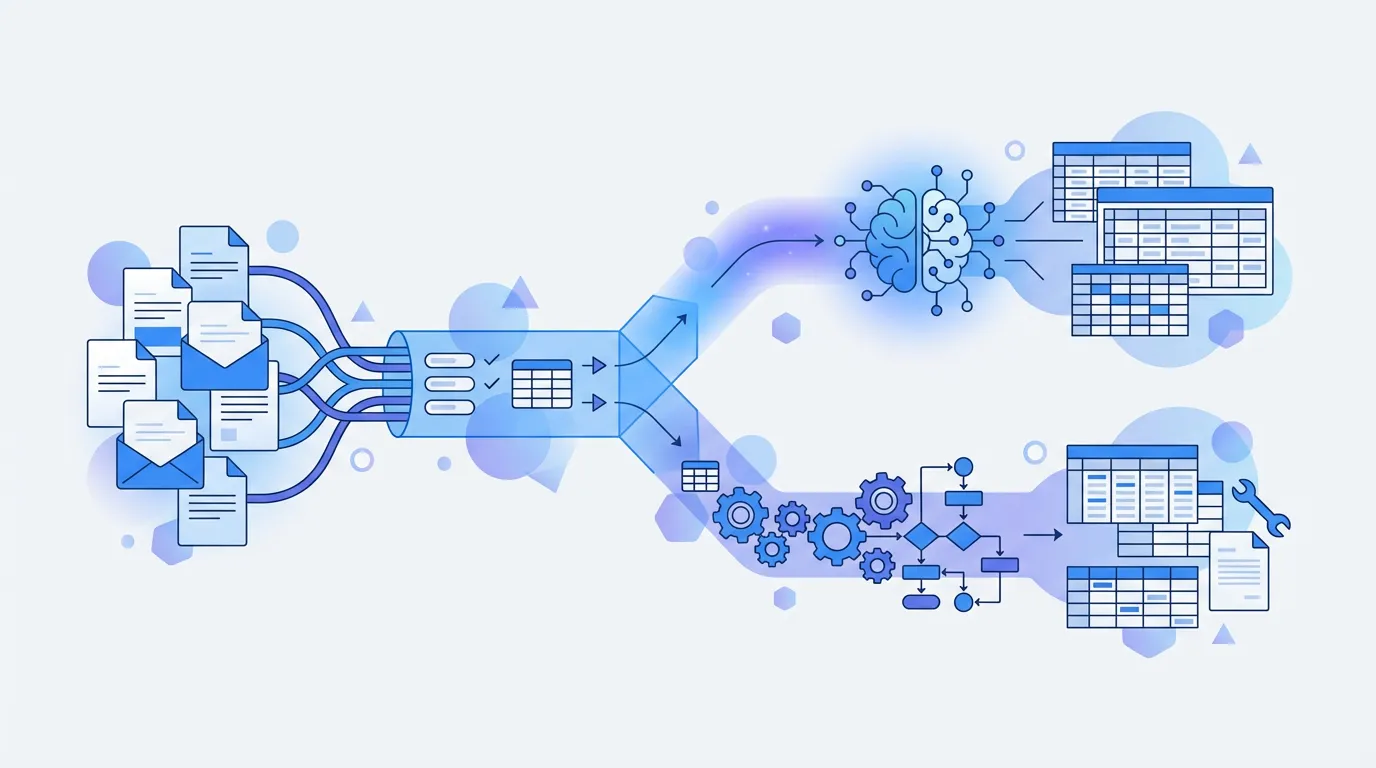
Email parsing is the automated extraction of structured data from incoming emails — pulling out invoice numbers, order amounts, customer names, shipping addresses, and any other fields your workflow depends on. Instead of opening every email and copy-pasting data into a spreadsheet, an email parser reads the email automatically and routes the extracted fields to wherever you need them.
Many operations teams still have a virtual assistant or junior staff member processing hundreds of emails per week. This guide covers the best email parser tools in 2026 — AI-powered and rule-based — so you can evaluate whether automation is the right move for your workflow.
What Is Email Parsing?
Email parsing involves two components: reading the email (including its subject, sender, body, and any attachments) and extracting specific fields from it in a structured format. A simple example is an order confirmation email — a parser would extract the order number, customer name, items ordered, total amount, and delivery address and write them to a spreadsheet or database automatically.
The harder cases are emails with PDF or image attachments — invoices, receipts, shipping documents — where the data lives not in the email body but in the attached file. A capable email parser needs to open that attachment, apply OCR if necessary, and extract the fields alongside or instead of the body text. This is where many email-focused tools fall short and where AI-powered platforms have a clear advantage.
Why Teams Automate Email Data Extraction
Recurring, high-volume email data entry is one of the most straightforward automation wins available to operations teams. Here are the four most common use cases that push teams toward email parser tools.
Vendor Invoices Arriving by Email
Accounts payable teams receive dozens to hundreds of vendor invoices by email every month, typically as PDF attachments. Manually entering invoice number, vendor name, line items, amounts, and due dates into accounting software is time-consuming and error-prone. An email parser that handles PDF attachments can extract all of those fields automatically and push them to QuickBooks, Xero, or a Google Sheet for review and approval.
Order Confirmations and Shipping Notifications
E-commerce and logistics teams receive order confirmations and shipping notifications in high volumes, often from multiple carriers and platforms with different email formats. Automatically extracting order numbers, tracking codes, expected delivery dates, and customer details eliminates manual lookups and keeps fulfillment data up to date without human intervention.
Lead Generation and Form Submission Emails
Many CRMs and landing page tools send notification emails when a form is submitted. Email parsers can extract the lead's name, company, email address, and any custom fields from those notification emails and push them directly into a CRM, a Google Sheet, or a Slack channel — without requiring a native integration between the form tool and the CRM.
Expense Receipts from Staff
Finance teams that manage employee expense reimbursements often receive forwarded receipts as image or PDF attachments. An email parser with attachment OCR capability can extract vendor name, date, total amount, and category from each receipt automatically — replacing a tedious manual process and reducing the chance of duplicate or misclassified claims.
AI Email Parsers vs Rule-Based Parsers
Rule-based email parsers work by matching patterns: you define a rule that says the order number is always two lines below the text 'Order ID:' or is always in a bold span between two specific markers. This works well when emails from a given sender follow a consistent, predictable layout. Setup is fast for a single sender, and extraction is reliable as long as the email format never changes.
The limitation appears when you process emails from multiple senders, or when a sender updates their email template. Rule-based parsers require a separate rule set — often called a template or mailbox — for each distinct format. When a template breaks silently, data stops flowing and errors are discovered downstream. Teams that scale to dozens of senders end up managing a large library of brittle rules.
AI email parsers apply language model understanding to extraction. Instead of matching a fixed pattern, the model reads the email semantically and finds the invoice number because it understands what an invoice number looks like and where it typically appears — regardless of layout or formatting. This means the same configuration handles emails from any sender without per-sender setup, and continues working even when senders update their email designs.
Best Email Parser Tools in 2026
Here are the six strongest email parsing tools available in 2026, covering the full spectrum from AI-powered platforms to rule-based tools and flexible automation frameworks.
1. Parsli — AI-Powered, Email Body + Attachments
Parsli is built on Google Gemini 2.5 Pro and handles the complete email parsing workflow: email body text, PDF attachments, and image attachments are all processed in a single pipeline. You forward emails to a Parsli inbox address, define a schema with the fields you want extracted, and Parsli routes the results to Google Sheets, Zapier, Make, a webhook, or your own API.
The schema you define works across all senders and all formats — there is no template to create per sender and no zone drawing. If you receive invoices from 50 different vendors, you define the schema once and Parsli handles all 50 formats. Your first 20 pages are free with no credit card required, then a subscription. Paid plans start at $25 per month and scale by page volume.
Parsli extracts data from email body text and PDF attachments automatically. Start free — 20 free pages on signup.
Book a demo2. Parseur — Email-First, Template-Based
Parseur is one of the most established email parsing platforms. It uses a template-based approach where you highlight fields on a sample email and the system uses those highlights to find the same fields in future emails from that sender. It handles email body text and attachments, integrates with Zapier and Google Sheets, and has a clean interface for non-technical users.
The template requirement means that each new sender or format needs its own setup. For teams with a small number of consistent senders, this is manageable. For teams processing invoices or notifications from a large variety of sources, the template maintenance overhead grows quickly. Pricing starts at $39 per month.
3. Mailparser — Simple, Rule-Based, Reliable
Mailparser is a lean, focused email parser for teams that only need to extract data from email body text. It offers a straightforward rule-building interface, integrates with Zapier and Google Sheets, and has been reliably handling simple email workflows for years. It does not support attachment extraction — if any of your data lives in PDF or image attachments, Mailparser is not sufficient. Pricing starts at $24 per month, making it the most affordable dedicated email parser on this list.
4. Zapier Email Parser — Free, Basic Body Text Only
Zapier includes a built-in Email Parser feature that is completely free. You get a Zapier-hosted email address, forward emails to it, and use a template editor to highlight the fields you want extracted. Those fields become variables in your Zap, which you can then use to populate spreadsheets, CRMs, databases, or any of Zapier's thousands of app integrations.
The critical limitation is that Zapier Email Parser only processes email body text — it does not open or process PDF or image attachments. It also uses the same template-per-sender model as Parseur and Mailparser. For low-volume, body-text-only workflows where you already use Zapier, it is a solid free option. For anything involving attachments or high format variety, you will outgrow it quickly.
5. n8n Email Automation — Self-Hosted, Developer-Friendly
n8n is an open-source workflow automation tool that can be self-hosted. With n8n, you build an email trigger workflow that reads incoming emails via IMAP or a webhook, processes them through a chain of nodes, and can include AI steps using OpenAI or other LLM providers. It offers maximum flexibility and zero per-document cost if you self-host, but it requires technical setup and ongoing maintenance. It is best suited for developer teams that want full control over their automation stack.
6. Make (Integromat) with AI Step — Flexible, Visual
Make is a visual automation platform similar to Zapier but with more flexible logic for complex workflows. You can build an email-triggered scenario that downloads attachments, sends them to an AI parsing module or an external API, and routes the structured output to any connected app. Make is particularly useful for automating receipt processing. Make's per-operation pricing can be cost-effective at moderate volumes. It requires more configuration than a dedicated email parser but gives you more control over the full workflow.
Email Parser Comparison Table
Here is how the six tools compare across the dimensions that matter most when choosing an email parser.
- Parsli — AI-powered, email body + PDF/image attachments, 20 free pages on signup then plans from $25/month, no templates
- Parseur — template-based, email body + attachments, from $39/month, reliable for consistent formats
- Mailparser — rule-based, email body only, from $24/month, simple and focused
- Zapier Email Parser — template-based, email body only, free (requires Zapier account), no attachment support
- n8n — self-hosted workflow automation, email body + attachments with custom nodes, free (self-hosted) or from $20/month cloud, requires developer setup
- Make — visual workflow automation, email body + attachments via modules, from $9/month, flexible but requires configuration
- Nanonets — AI/ML-trained, email + document workflows, custom enterprise pricing, high accuracy at scale
Should You Use an Email Parser or Hire a VA?
Automation wins decisively when your email types are recurring and predictable. If you receive 200 invoices per month from various vendors and the fields you need are always the same — vendor name, invoice number, total amount, due date — an AI email parser will extract those fields faster, cheaper, and more accurately than a human after the initial setup is done. Starting free (20 free pages) and then subscribing from $25 per month, even a modest volume of invoices represents significant savings over VA time.
A VA adds value when emails require judgment that automation cannot replicate. If your inbox contains escalations, complex negotiations, custom requests, or context that requires business knowledge to interpret, a VA is the right choice. The best-run operations teams automate the predictable, high-volume email types and free their staff — or their VA — to focus on the exceptions that actually require human reasoning.
Which Email Parser Is Right for You?
Match your primary constraint to the tool that solves it. Here are five decision rules to guide your choice.
- If you receive emails from many different senders with varying formats and want zero template maintenance — use Parsli
- If your emails come from a small set of consistent senders and you need a proven template-based solution — use Parseur or Mailparser
- If your data lives in PDF or image attachments (not just email body text) — use Parsli, which handles both in a single workflow
- If you want a free option and only need email body extraction with no attachments — use Zapier Email Parser
- If you have developer resources and want full workflow control with no per-document cost — build on n8n self-hosted
Email parsing automation has the fastest ROI of any document workflow because the volume is predictable and the data structure is largely consistent within each sender's email type. AI-powered parsers are the right default for teams processing emails from multiple senders or with PDF attachments — the template-free setup eliminates the ongoing maintenance that makes rule-based tools frustrating at scale. For simple, single-sender body text extraction, rule-based tools are cheaper and sufficient.
Frequently Asked Questions
What is email parsing?
Email parsing is the automated extraction of structured data from incoming emails. A parser reads each email as it arrives, identifies specific fields — such as sender name, order number, invoice total, or shipping address — and routes that data to a spreadsheet, database, CRM, or other downstream tool. It replaces the manual process of opening emails and copy-pasting information by hand.
Can email parsers extract data from attachments?
Some email parsers support attachment extraction and some do not. Parsli, Parseur, and Nanonets all process PDF and image attachments alongside email body text. Mailparser and Zapier Email Parser only extract from the email body and do not open attachments. If your workflow involves invoices, receipts, or other documents sent as attachments, you need a parser that explicitly supports attachment processing — confirm this before choosing a tool.
What is the best free email parser?
Zapier Email Parser is the most widely used free email parsing tool. It handles email body text extraction with a template-based rule system and integrates natively with Zapier workflows. Its limitations are significant: no attachment support, template-per-sender requirement, and brittle rules when email formats change. Parsli gives you your 20 free pages on signup with no credit card required (then a subscription from $25/month), covering both email body and attachment extraction with AI-powered field recognition.
How do I automatically extract data from emails to Google Sheets?
The fastest path is to use an email parser with a native Google Sheets integration. With Parsli, you forward emails to your Parsli inbox, define the fields you want in a schema, and connect your Google Sheet in the export settings. Each parsed email appends a new row with the extracted data. Parseur and Mailparser offer similar Google Sheets integrations via Zapier or direct connection. The setup typically takes under 15 minutes.
Is an AI email parser better than a VA for data entry?
For recurring, predictable email types, an AI email parser is faster, cheaper, and more consistent than a VA. A parser does not take breaks, make transcription errors, or need training when you add a new email type. A VA adds value for emails requiring judgment, context, or business knowledge that automation cannot replicate. The best operations teams automate the high-volume, routine extraction tasks and keep human staff focused on work that requires real decision-making.
Does Parsli parse email body text and attachments?
Yes. Parsli processes both email body text and PDF or image attachments in a single workflow. You forward an email to your Parsli inbox and the system reads the body and opens any attached files, applying Google Gemini 2.5 Pro to extract the fields defined in your schema from wherever they appear — body, attachment, or both. This makes it particularly useful for invoice and receipt workflows where the data almost always lives in the attachment rather than the email body.
Turn every email into clean, structured data.
Parsli extracts structured data from PDFs, invoices, and emails — automatically. Book a demo to see it on your own documents.
Try our free tools

Talal Bazerbachi
Founder at Parsli
Talal is the founder of Parsli, an AI platform for extracting and matching data from invoices and other business documents. He works hands-on with the finance and operations teams automating the invoice workflows this guide is written for.