LLM OCR vs Traditional OCR: When AI Wins (and When It Doesn't) — 2026 Benchmark

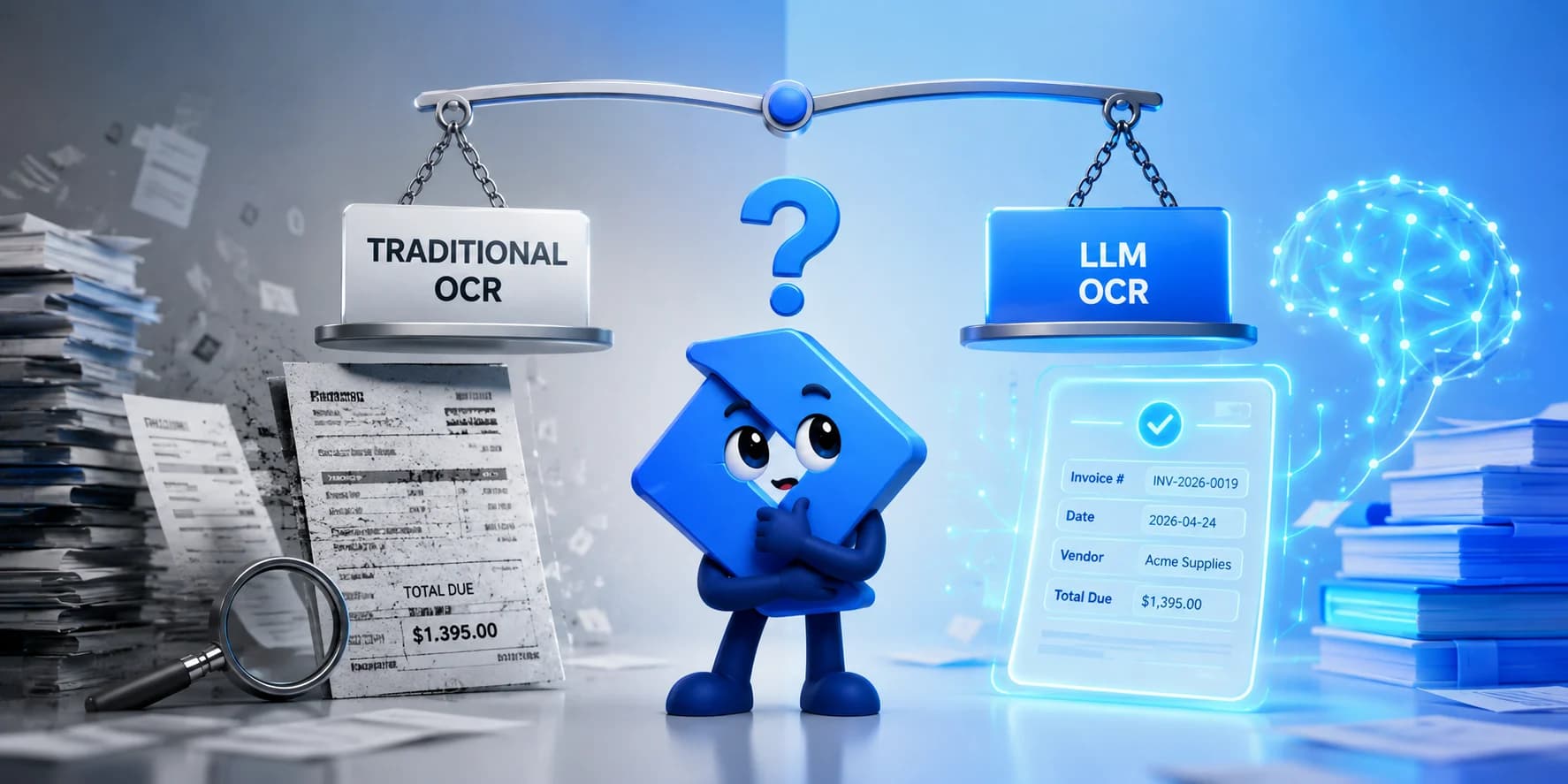
Short answer: LLM OCR (Gemini, GPT-4o, Claude) wins on scanned documents, complex tables, and handwriting, beating traditional OCR by 10–15 accuracy points on degraded inputs (Koncile). Traditional OCR (AWS Textract, Tesseract, Google Document AI) still wins on speed, cost, and deterministic output for clean, consistent documents. Most production pipelines in 2026 run both.
I'm the founder of Parsli, an AI document extraction platform, so I spend a good part of every month running real invoices, bank statements, and bills of lading through both kinds of pipeline. This post walks through the independent benchmarks (Koncile, OmniAI, Vellum, Mindee, BusinessWareTech), when each approach wins, and the failure modes that don't show up in vendor marketing. Every number is linked in the Sources at the end.

Still maintaining OCR templates and regex?
Parsli reads any document layout like a human and returns clean, schema-shaped JSON with a confidence score on every field. We benchmark and tune the underlying models continuously, so your extraction keeps getting better without you touching it.
Key Takeaways
- LLM/VLM extraction beats traditional OCR on complex layouts, tables, and handwriting — traditional OCR still wins on speed and determinism for clean, consistent documents.
- On scanned documents the gap is 10–15 accuracy points in the LLM's favor (Koncile), and lightweight models have made LLM extraction affordable at volume (Vellum).
- Most production teams run a hybrid: cheap OCR first, an LLM for field identification, and a vision-model fallback for the documents OCR can't read.
What is LLM OCR?
LLM OCR (sometimes called VLM OCR or multimodal OCR) is document extraction performed by a large language model that natively accepts images or PDFs as input. Instead of detecting text regions, recognizing characters, and then running a separate extraction layer, an LLM OCR pipeline sends the document image directly to a multimodal model and gets structured JSON back in one pass.
It differs from traditional OCR in three ways:
- Single-pass extraction. Traditional OCR (Tesseract, Textract, Document AI) detects characters, then hands raw text to a downstream parser. LLM OCR reads the page and outputs structured fields directly.
- Layout-aware. LLMs interpret tables, headers, multi-column layouts, and form structure visually, the way a human reads them.
- Schema-prompted. You tell the model which fields you want ("vendor_name, invoice_number, total_amount") and it returns them. No regex, no template zones, no per-document training.
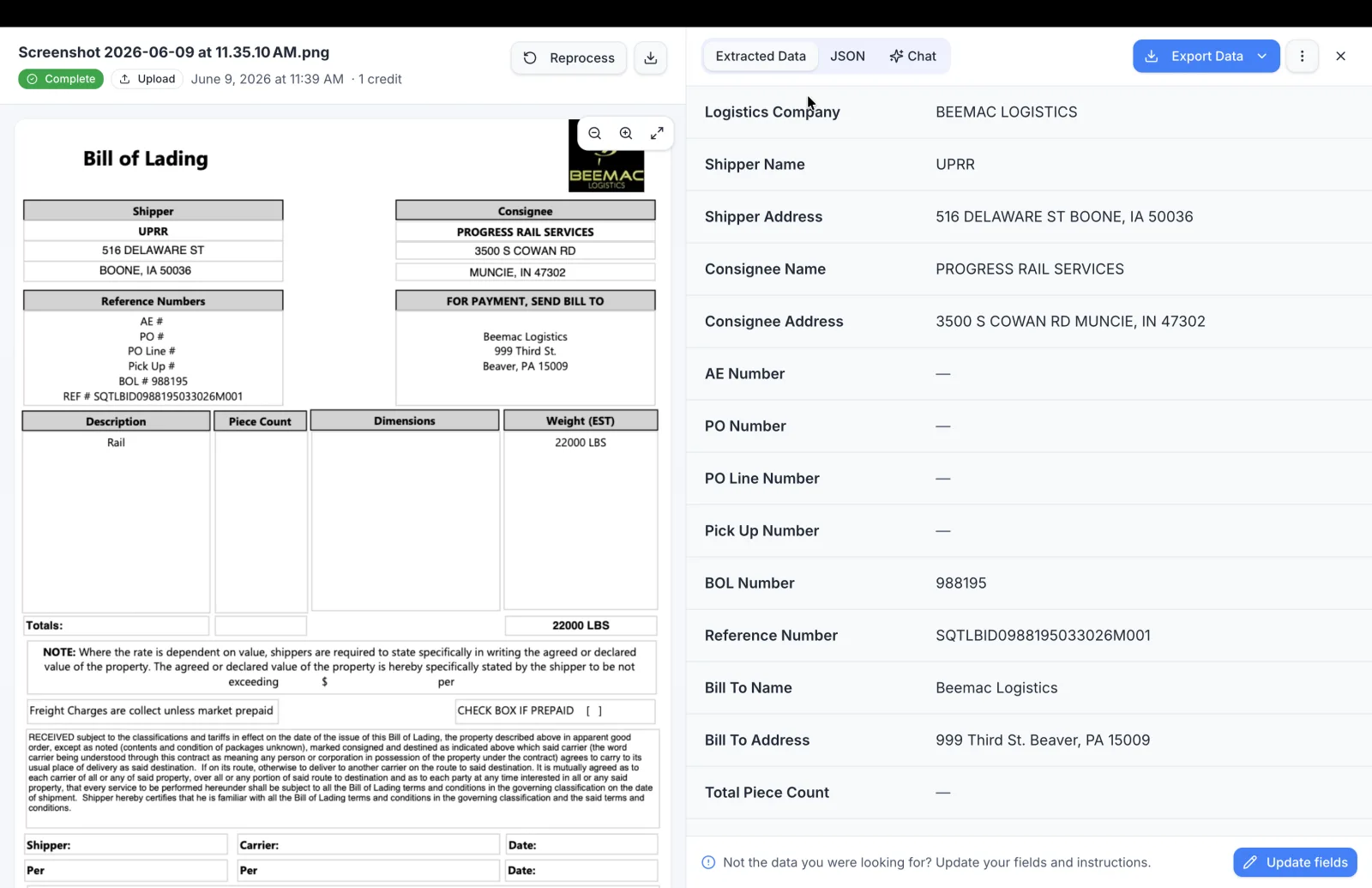
Traditional OCR, by contrast, works in two stages: detect text regions in an image, then recognize the characters inside them. It tells you what characters are on the page, not what those characters mean. Turning its raw text into structured data requires a separate layer of regex rules, template zones, or a trained classifier — and that maintenance layer is where most OCR projects quietly die.
The first time you watch a multimodal model return correct line items from a crumpled phone photo of a receipt, the appeal is obvious. The catch is what it costs at volume, and what happens when the model guesses. Both are covered below.
Accuracy Benchmarks: Head-to-Head
The numbers below come from independent published tests, not vendor marketing. Where my own production experience disagrees with them, I say so.
Printed text on clean documents
| Tool | Accuracy | Notes |
|---|---|---|
| GPT-4o | 98% | Text-based PDF invoices (Koncile) |
| Claude 3.5 Sonnet | 97% | Text-based PDF invoices (Koncile) |
| Gemini 2.5 Pro | 96% | Text-based PDF invoices (Koncile) |
| AWS Textract | 95%+ | Clean printed text, forms (AWS docs) |
| Tesseract 5 | >95% | Clean printed text only (Koncile) |
| Google Document AI | 95%+ | Pre-trained invoice processor (Google Cloud) |
The takeaway: for clean, born-digital documents, traditional OCR is accurate enough. Paying LLM prices here buys you very little.
Scanned documents and poor-quality inputs
This is where the gap opens up. Scanned invoices, faxes, phone photos, and low-DPI images break traditional OCR because it works pixel by pixel. LLMs use visual context to infer what degraded text says, the same way you do.
| Tool | Accuracy on scanned invoices | Source |
|---|---|---|
| Gemini 2.5 Pro | 94% | Koncile |
| GPT-4o + OCR | 91% | Koncile |
| Claude 3.5 Sonnet | 90% | Koncile |
| AWS Textract | 82% (line-item extraction) | BusinessWareTech |
| Tesseract 5 | 80–85% (with preprocessing) | Extend |
| Google Document AI | 40% (table extraction) | Gartner IDP benchmark |
The takeaway: on scanned documents, LLMs win by 10–15 points. That difference compounds: at 82%, roughly one invoice in five needs a human; at 94%, one in seventeen.

This ordering matches what we see at Parsli. We re-run this class of test every month on real customer-style documents to decide which models our engine runs — and we add a second check pass on top, because even the top row still gets one scanned invoice in seventeen wrong on its own.
Tables and handwriting: the hard cases
Tables are the hardest problem in document extraction. Merged cells, multi-line rows, nested headers, and variable column widths eventually break every traditional tool. In the OmniAI benchmark, the open-source VLM PaddleOCR-VL scores 92.86 on OmniDocBench versus GPT-4o's 85.80 on document parsing that includes tables, and Gemini 2.5 Pro reached near-perfect table accuracy in BusinessWareTech's tests. For table-heavy documents — financial reports, purchase orders, bills of lading — LLMs beat traditional OCR consistently; this is exactly the workload Parsli's table extraction is built around.
Handwriting is even more lopsided. Modern LLMs hit 93–95% on handwriting benchmarks (GPT-5: 95%, olmOCR-2-7B: 94%, Gemini 2.5 Pro: 93%) while Tesseract is near-zero on cursive. If you need handwriting extraction, LLMs are the only practical option in 2026 — with one warning from production: handwriting is also where models hallucinate most confidently, so pair it with confidence scoring rather than trusting raw output.
When to Use Traditional OCR vs LLM OCR
Tesseract vs LLM OCR
Tesseract is the baseline most teams compare against, and the comparison generalizes to the whole traditional-vs-LLM decision:
| Dimension | Tesseract 5 | LLM OCR (Gemini 2.5 Pro) |
|---|---|---|
| Clean printed text | >95% (Koncile) | 96–98% |
| Scanned/degraded input | 80–85% with preprocessing | 94% |
| Handwriting | Near-zero on cursive | 93% |
| Latency per page | 50–200 ms (local) | 5–30 seconds (API) |
| Output | Raw text + bounding boxes | Structured JSON in your schema |
| Determinism | Deterministic | Probabilistic |
Traditional OCR still wins when…
- Layouts never change. 100,000 utility bills a month from the same five providers? Template extraction is faster, cheaper, and more predictable than any LLM. Templates only hurt when layouts vary.
- Latency is critical. Tesseract processes a page in 50–200ms locally; frontier models can take 5–30 seconds. If extraction sits in a synchronous user flow, traditional OCR wins on physics alone.
- Output must be deterministic. Same input, same output, every time — a hard requirement in some audit-trail workflows (see the FAQ for how teams mitigate LLM non-determinism).
- Volume is extreme and documents are simple. At hundreds of thousands of identical clean pages per month, basic OCR APIs are hard to beat on cost — Mindee measured LLMs at up to 5x the price of OCR APIs on exactly this kind of workload.
LLMs are the right choice when…
- Every sender formats differently. When each vendor sends a different invoice layout and each bank formats statements its own way, LLMs absorb the variation with zero template maintenance. This is the killer feature, and the reason Parsli is LLM-based: our customers' documents come from thousands of different senders.
- You need meaning, not coordinates. Traditional OCR says "7,290.00 appears at (450, 680)". An LLM says that's the
total_amounton an invoice from Acme Supply Co. — which is why extracted data can flow straight into QuickBooks without a single hand-written rule. - The documents are messy. Complex tables, stamps, logos, handwriting, and mixed content on one page — common with purchase orders, patient intake forms, and emails with attachments.
The hybrid approach: what production teams actually do
Most production pipelines in 2026 aren't pure LLM or pure OCR. The standard pattern:
- OCR first. Run Textract or Tesseract to get raw text cheaply and fast.
- LLM second. Pass the extracted text (not the image) to an LLM for field identification and validation. Text-mode calls cost a fraction of vision-mode calls.
- Vision fallback. When OCR fails (bad scans, handwriting), send the document image to the multimodal model directly.
Done right, you get OCR-level cost on 80% of documents and LLM-level accuracy on the 20% that need it. This architecture is what most managed extraction platforms, Parsli included, run behind the scenes.
Automating a workflow, not just reading documents?
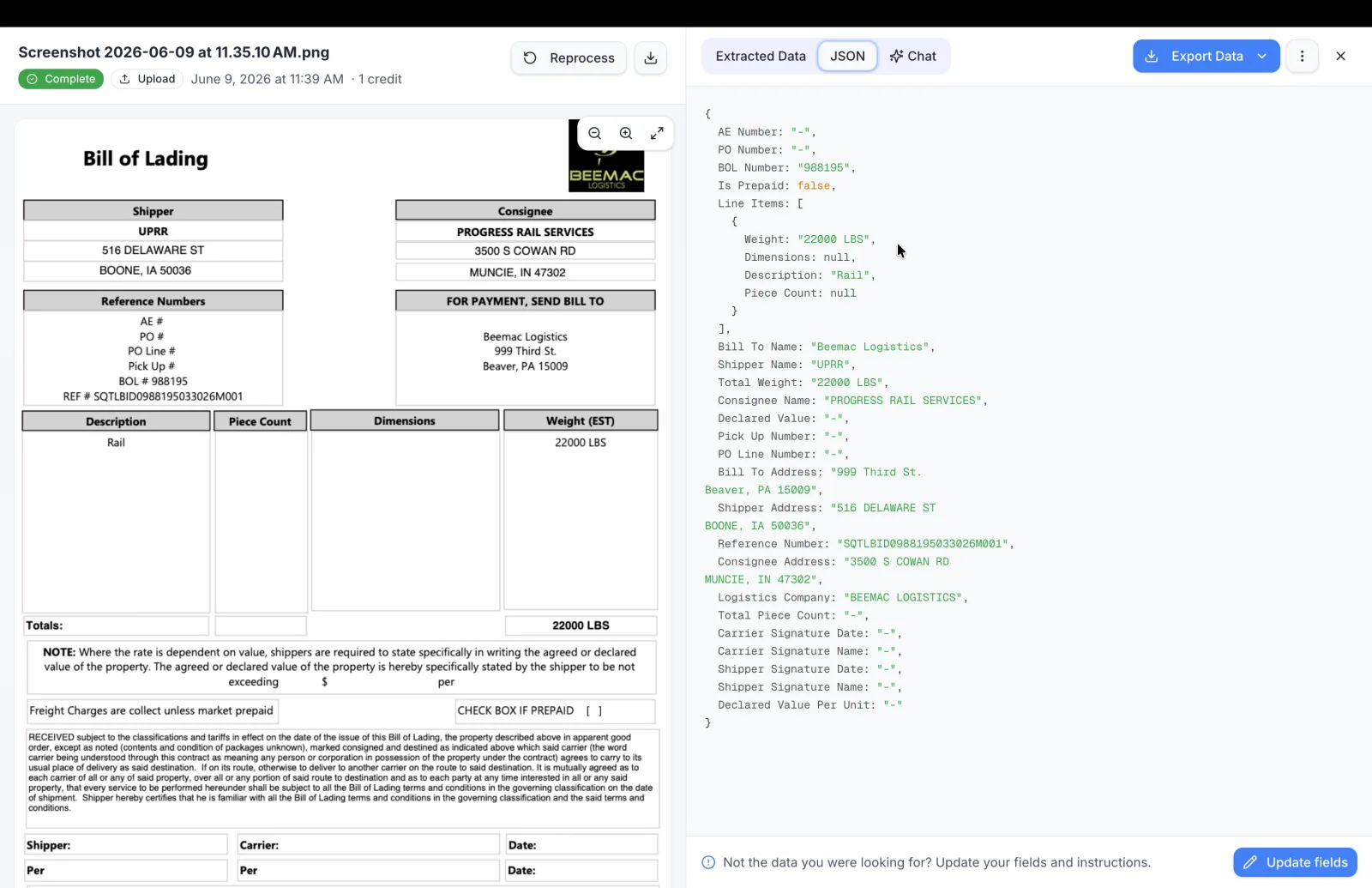
Most teams end up stitching an OCR tool to Zapier and patching the gaps with custom code. Parsli is the workflow end to end — extraction, validation, approvals, matching, and data entry into QuickBooks, Sheets, or your systems. And on paid plans, any integration you're missing, we build for you free — usually live within a day.
Best LLM for OCR in 2026
If Google dropped you directly on this section: here's the model ranking up front. It's based on the benchmarks above plus our own monthly testing at Parsli.
| Rank | Model | Why it wins | Best for |
|---|---|---|---|
| 1 | Gemini 2.5 Pro | 94% on scanned invoices, near-perfect table extraction | Best overall accuracy on real-world (degraded) documents |
| 2 | Gemini Flash 2.0 | Near-frontier accuracy at a fraction of frontier cost (Vellum) | High-volume pipelines |
| 3 | GPT-4o | 90.5% on line-item extraction (BusinessWareTech); strong reasoning over extracted fields | Complex contracts where extraction and validation are both needed |
| 4 | Claude 3.5 Sonnet | 97% on text PDFs, 90% on scans, lowest hallucination rate of the frontier models | Compliance-sensitive workflows that need conservative outputs |
| 5 | PaddleOCR-VL | 92.86 on OmniDocBench (OmniAI), self-hosted | Maximum accuracy per dollar if you have GPU infrastructure |
| 6 | olmOCR-2-7B | 94% on handwriting, fully local deployment | On-prem and air-gapped environments |
A note from the author
"I continuously benchmark and test these models to make sure Parsli always runs on the best-performing setup out there. Model rankings shift every few months — treat this page as a starting point and always test on your own documents."
Talal Bazerbachi, Founder of Parsli
But for most teams, "which model" is the wrong question. A model gives you raw extraction; production needs the layer around it — validation, confidence scoring, retries, delivery into your systems, and someone re-running the benchmarks as rankings shift. So the more useful question is:
What is the best document parsing solution in 2026?
There are four realistic paths, depending on who's doing the work. Here's the honest comparison — including where each one, ours included, is the wrong pick.
1. Parsli — LLM OCR as a managed platform
Verdict: the shortest path from "we have documents" to "structured data is flowing into our systems" — without hiring for it. You define your fields once (or pick a ready-made template) and get the same JSON shape and a per-field confidence score, whichever model is underneath. We continuously test the parsing engine against the scenarios it faces across use cases, fix and improve accuracy, performance, and speed, and re-benchmark models so the ranking above stays our full-time problem, not yours.
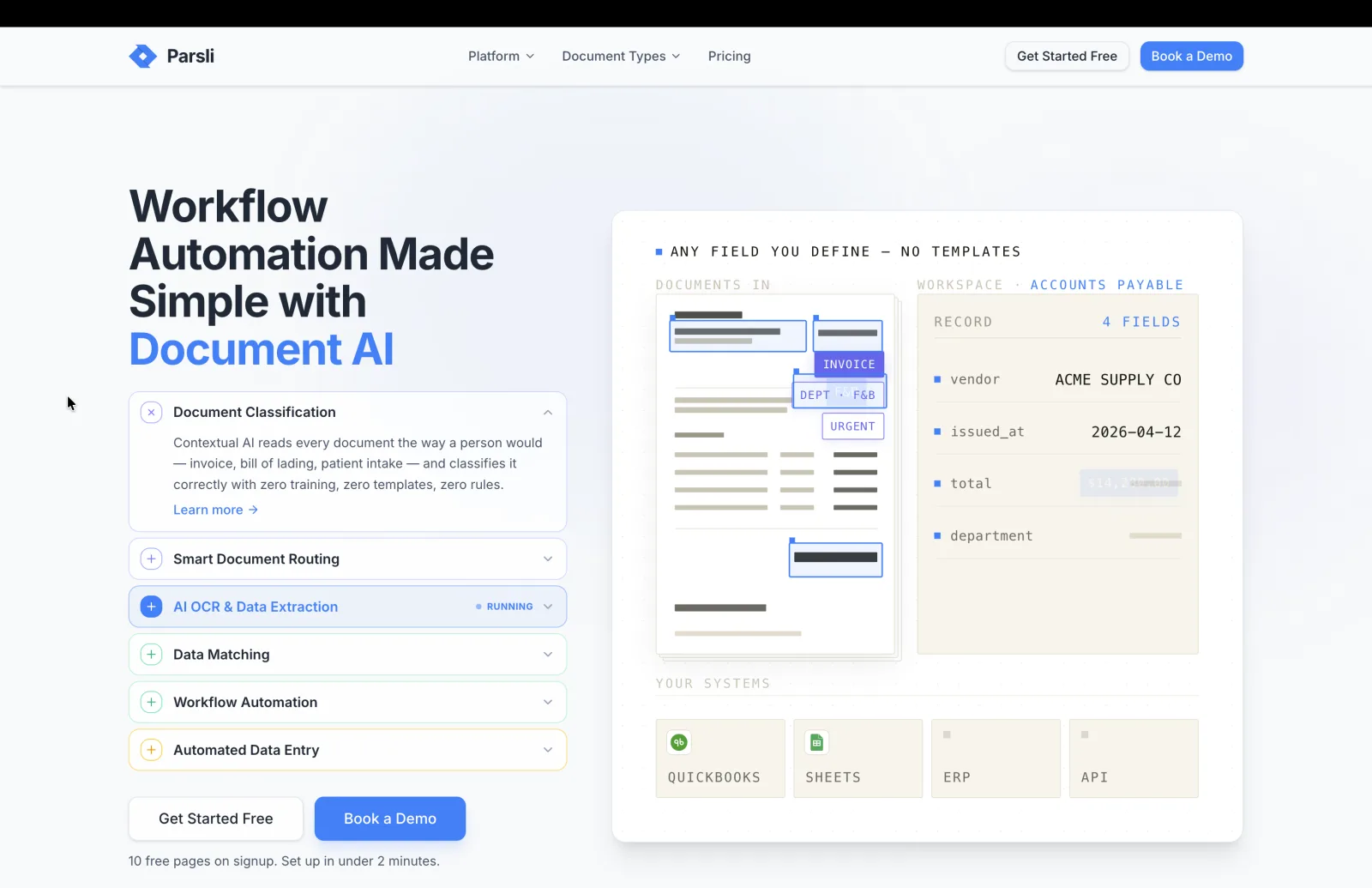
For developers, it's a REST API and webhooks with schema-shaped JSON and confidence thresholds for human review. For operations and finance teams, it's a no-code dashboard with ready-made templates for invoices, bank statements, and bills of lading — and it goes past extract-and-export: workspaces cover the whole workflow around the documents, like accounts payable with budgets, approvals, and invoice matching, bookkeeping firms managing hundreds of clients, and clinics processing patient forms.
Integrations cover QuickBooks, Xero, Google Sheets, Zapier, and more — and where a connector doesn't exist, we build custom integrations for paying customers free of charge, usually live within a day. Pricing: 10 free pages on signup, no credit card; plans from $25/month.
2. Template-based parsers (Docparser, Parseur)
Verdict: the previous generation of managed parsing. You draw zones or define rules per layout, and extraction is fast, cheap, and predictable — as long as documents keep matching the template. Every new vendor format means template work, which is exactly the maintenance LLM OCR eliminates.
Comparing this category? See the invoice extraction tools benchmark and Parseur alternatives.
3. Cloud OCR APIs (AWS Textract, Google Document AI)
Verdict: solid building blocks if you're an engineering team assembling your own pipeline — fast, deterministic, and battle-tested on clean documents. But they output text and coordinates, not meaning: you still build and maintain the field-extraction layer, the validation, and the integrations yourself.
Head-to-head: Parsli vs Google Document AI and Parsli vs Azure Document Intelligence.
4. Self-hosted open-source VLMs (PaddleOCR-VL, olmOCR)
Verdict: the best accuracy-per-dollar in the whole landscape, and the only real option for air-gapped environments. PaddleOCR-VL beats GPT-4o on OmniDocBench. The cost you save on API fees you spend on GPU infrastructure, model updates, scaling, and the ML engineer who owns all of it.
One more thing worth knowing before you choose: extraction is becoming the first step of a bigger shift. Gartner predicts 40% of enterprise apps will feature task-specific AI agents by the end of 2026, and in document processing that means systems that act on what they extract — matching invoices against purchase orders, flagging changed vendor bank details, and routing documents to the right approver. Whichever path you pick, favor one that won't dead-end at "here's your JSON."
Drop your hardest document into Parsli
Scanned, handwritten, weird tables — that's the point. See structured JSON in about 30 seconds. 10 free pages on signup, no credit card.
Frequently Asked Questions
Is OCR deterministic?
Traditional OCR (Tesseract, AWS Textract, Google Document AI) is deterministic: the same input always produces the same output. LLM-based OCR (GPT-4o, Gemini, Claude) is probabilistic, meaning the same document can return slightly different JSON across runs, even with temperature=0. This matters for compliance-sensitive workflows where audit trails require reproducible outputs. Mitigations: pin model versions, enforce structured output with a JSON schema, and validate every extraction. For workflows that must be 100% reproducible, run a deterministic OCR engine and use the LLM only for field labeling.
What is the best LLM for OCR in 2026?
Gemini 2.5 Pro for the highest accuracy on real-world (scanned, degraded) documents: 94% on scanned invoices in independent benchmarks. Gemini Flash 2.0 for price-performance at high volume. GPT-4o for complex documents that need reasoning over the extracted fields. Claude 3.5 Sonnet for compliance-heavy workflows where hallucination risk must be minimized. PaddleOCR-VL if you self-host and want the lowest cost per accuracy point. The full ranking with sources is in the section above.
Is LLM-based OCR more accurate than Textract?
For structured field extraction on scanned or complex documents, yes. Benchmarks show GPT-4o scoring 90.5% on line-item extraction versus Textract's 82% on the same invoice dataset (BusinessWareTech). For simple text detection on clean printed documents, the accuracy gap is negligible and Textract is much cheaper.
How much does LLM-based document extraction cost per page?
It varies enormously by model, document length, and whether you send text or images. Self-hosted open-source VLMs are the cheapest per page, but you pay in GPU infrastructure and engineering time. Frontier models cost more, and multi-page documents multiply token costs quickly: Mindee measured LLMs at up to 5x the cost of OCR APIs on high-volume structured workloads, while lighter models like Gemini Flash have narrowed that gap sharply (Vellum). Parsli's managed service starts at $25/month for 100 pages and handles model selection, validation, and integrations for you.
Can I replace Tesseract with an LLM in production?
For clean printed text at high volume, Tesseract is still faster and cheaper. For scanned documents, variable layouts, tables, or handwriting, yes: LLMs are a significant upgrade. Many teams run a hybrid, Tesseract for the initial text pass and an LLM for field identification. If you want a managed path that skips both pieces of plumbing, Parsli ships the hybrid pipeline behind a single API.
Do LLMs hallucinate when extracting document data?
Yes, and it is the single biggest operational risk of LLM OCR. Models can fabricate field values that don't exist in the document, especially on low-quality scans. Production systems mitigate this with confidence scoring, schema validation, and human review for flagged documents. Parsli assigns a confidence score to every extracted field so you can set thresholds for auto-approval versus manual review, and it abstains rather than guessing when the document doesn't contain the answer.
Should I self-host an open-source VLM or use a managed API?
Self-hosting (PaddleOCR-VL, olmOCR, Docling) gives you the lowest per-page cost and full data control, but you own GPU infrastructure, model updates, scaling, and monitoring. Managed APIs (Textract, Document AI, Azure Document Intelligence, Parsli) cost more per page but eliminate the operational overhead. The break-even typically favors self-hosting above ~50,000 pages/month with a dedicated ML engineer on staff.
What about Google Document AI — is it traditional OCR or LLM-based?
Document AI sits in between. Its pre-trained processors use specialized ML models (not general-purpose LLMs) tuned for specific document types. It's more capable than Tesseract but less flexible than a multimodal LLM, and its main weakness is table extraction on complex layouts, with benchmarks as low as 40% on difficult table datasets. For a detailed comparison, see Parsli vs Google Document AI.
Sources
- Gartner — 40% of enterprise apps will feature AI agents by end of 2026, up from <5% in 2025
- OmniAI Benchmark — PaddleOCR-VL scores 92.86 on OmniDocBench vs GPT-4o's 85.80; self-hosted VLM 167x cheaper than vendor APIs
- Koncile — Scanned invoices: Gemini 94% accuracy, GPT+OCR 91%, Claude 90%. Text PDFs: GPT 98%, Claude 97%, Gemini 96%
- BusinessWareTech — GPT-4o with direct image input scored 90.5% vs Textract 82% on line-item extraction
- Mindee — LLMs can be 5x more expensive than OCR APIs for high-volume structured documents
- Vellum — Gemini Flash 2.0 processes 6,000 pages for $1; GPT-4o struggles with complex table structures
- DataUnboxed — VLMs delivered higher accuracy than traditional OCR engines on scanned documents
- Gartner IDP Report — 67% of enterprise document processing initiatives evaluating agentic approaches, up from 23% two years prior
- Koncile (Tesseract analysis) — Tesseract achieves >95% on clean printed text but struggles with complex layouts, tables, and handwriting
Going Further

Talal Bazerbachi
Founder at Parsli
Talal is the founder of Parsli, an AI platform for extracting and matching data from invoices and other business documents. He builds and benchmarks the extraction engine this post draws on, and works hands-on with the finance and operations teams automating the document workflows it describes.