Email Data to Google Sheets In 3 Seconds
Stop manually copying data from emails into spreadsheets. AI reads every email and auto-fills your sheet — invoices, orders, confirmations, attachments included.
Free forever (30 pages/mo). Set up in under 2 minutes.
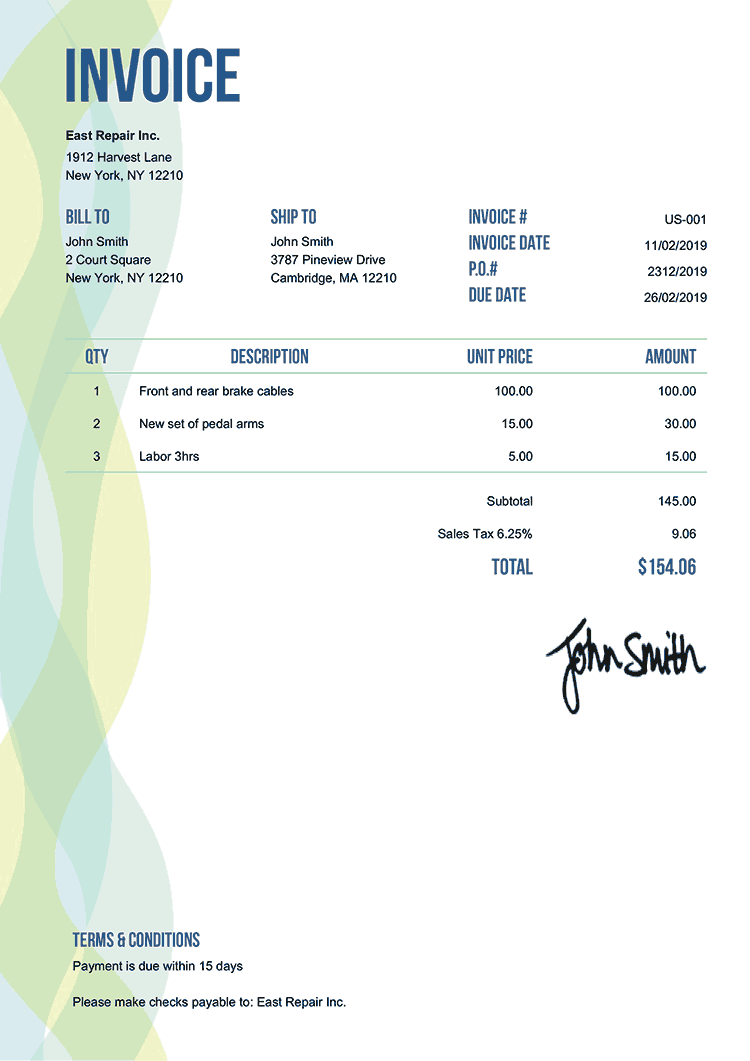
EXTRACTING FIELDS FROM INVOICE...

Trusted by teams automating email-to-spreadsheet workflows


<3s
Email → Row In Your Sheet
2-4 hrs
Of Copy-Paste Eliminated Daily
99%
More Accurate Than Manual Entry
$0
To Start (30 pages/mo free)
Still copying email data into spreadsheets by hand?
Every email you process manually costs time and introduces errors.
Copying invoice amounts, dates, and vendor names from emails into Excel — one by one, every day, eating hours of your week
Typos and missed fields from manual copy-paste cause billing errors and reporting mistakes downstream
Zapier and Power Automate email-to-sheet recipes break when email formats change — and attachments need a separate workflow
Email to spreadsheet in 3 steps
Step 1
Forward Emails to Parsli
Set up auto-forwarding from Gmail or Outlook. Every email with data you need goes to your Parsli parser automatically.
Step 2
AI Extracts the Data
Define your columns — amount, date, sender, PO number, line items. The AI extracts them from any email format, including attachments.
Step 3
Rows Appear in Your Sheet
Each processed email becomes a new row in Google Sheets or triggers an Excel update via Zapier/Make. Fully automatic.
See how emails become spreadsheet rows
Click through the workflow — forward an email, AI extracts the data, a new row appears in your sheet.
No credit card required. Cancel anytime.
What our customers say
“We used to spend 2 hours every morning copying invoice data from emails into our tracking sheet. Now it's fully automatic — rows just appear.”
Karen L.
AP Coordinator, Distribution Company
“The Google Sheets integration is seamless. 150+ vendor emails per week go straight into our spreadsheet with zero manual work.”
Chris W.
Operations Analyst, Retail Brand
Why teams use Parsli for email to spreadsheet
Native Google Sheets Integration
Each extraction becomes a new row automatically — no middleware, no Zapier needed for Sheets. Excel supported via Zapier/Make.
AI Reads Any Email Format
Different senders, different layouts — doesn't matter. The AI extracts your fields from any email format automatically.
Attachments Included
PDF invoices, image receipts, document attachments — extracted alongside the email body into the same spreadsheet row.
Parsli vs. manual email-to-spreadsheet methods
| Feature | Others | Parsli |
|---|---|---|
| Processing speed | 5-15 min/email (manual) | < 3 seconds |
| Accuracy | Depends on copy-paste | 99% |
| Format changes | Rules break | AI adapts automatically |
| Attachments | Separate process | Built-in |
| Google Sheets | Manual paste | Native auto-fill |
| Free tier | No | 30 pages/mo |
No credit card required. Cancel anytime.
Frequently asked questions
Your spreadsheet fills itself — starting now
Forward an email, watch the row appear. Free forever up to 30 pages/month.
No credit card required. Cancel anytime.
“We used to spend 2 hours every morning copying invoice data from emails into our tracking sheet. Now...”— Karen L., Distribution Company
Why Email-to-Spreadsheet Automation Is Growing
According to McKinsey's research on generative AI (2023), knowledge workers spend 28% of their time reading and responding to emails. A significant portion of that time involves manually extracting data — order amounts, invoice numbers, tracking details — and copying it into spreadsheets.
Google Sheets has over 900 million users worldwide (source: Google Workspace Blog, 2024), making email-to-Sheets the most common document automation workflow. Zapier's State of Business Automation report (2024) ranks email-to-spreadsheet as one of the top 10 most automated office tasks globally.
The limitation of rule-based email parsers (like Zapier's built-in parser) is brittleness: they break when email formats change. Research from the Association for Intelligent Information Management (AIIM) shows that AI-powered extraction reduces format-change maintenance by 80% compared to template-based approaches, while improving accuracy from 75-85% to 95%+.