Zapier's Parser Keeps Breaking Parsli Doesn't.
Parsli uses AI instead of templates. It handles format changes automatically, parses attachments too, and hits 99% accuracy. Migrate in under 5 minutes.
Free forever (30 pages/mo). Migrate in under 5 minutes.
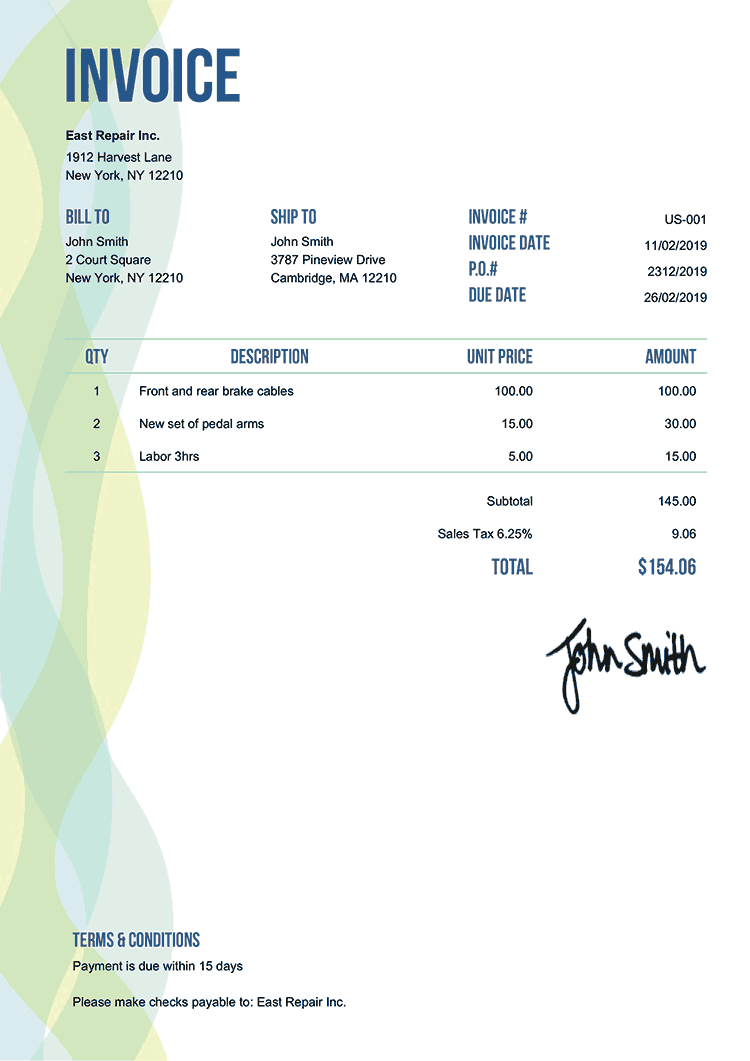
EXTRACTING FIELDS FROM INVOICE...

Trusted by teams that outgrew Zapier's email parser


99%
vs Zapier's ~75% Accuracy
0
Templates To Build Or Maintain
<5 min
To Migrate From Zapier
Yes
Parses Attachments (Zapier Can't)
Sound familiar?
If you've used Zapier's email parser, you've hit these walls.
Parser breaks every time a sender updates their email template — you spend hours re-training it with new samples
Can't parse PDF or image attachments — invoices and receipts need a completely separate workflow
Accuracy hovers around 70-80% — you manually review every batch to catch what was missed or wrong
Migrate from Zapier parser in 3 steps
Step 1
Create a Parser in Parsli
Sign up free and create a new email parser. Define the fields you need with the visual schema builder — no templates to train.
Step 2
Redirect Your Email Forwarding
Point your email forwarding to your new Parsli address. Takes 30 seconds in Gmail or Outlook settings.
Step 3
Connect Your Zaps
Swap your Zapier trigger from Email Parser to Parsli's native Zapier integration. Your downstream workflows stay the same.
See why teams migrate from Zapier's parser
Click through the full Parsli workflow — AI-powered parsing that never breaks when formats change.
No credit card required. Cancel anytime.
What our customers say
“Zapier's parser broke 3 times in one month when our vendors updated their invoice templates. Parsli has been zero-maintenance for 6 months.”
Alex P.
Automation Lead, Logistics Firm
“The attachment parsing alone was worth switching. We no longer need a separate workflow for PDF invoices.”
Maria S.
Finance Ops, E-commerce Brand
Everything Zapier's parser does — and everything it can't
AI, Not Templates
Google Gemini 2.5 Pro reads emails semantically. No templates to train, no rules to maintain. Format changes? Handled automatically.
Attachments Included
Parse email body AND PDF/image attachments in one workflow. Zapier's parser can't touch attachments.
Still Works With Zapier
Native Zapier integration. Trigger Zaps when data is extracted. Your existing workflows stay intact — just swap the trigger.
Parsli vs. Zapier Email Parser
| Feature | Others | Parsli |
|---|---|---|
| Extraction method | Template matching | AI (Gemini 2.5 Pro) |
| Accuracy | 70-80% | 99% |
| Parse attachments | No | Yes (PDF, images) |
| Format changes | Breaks (re-train) | Automatic |
| Table/line item extraction | No | Yes |
| Zapier integration | Built-in | Native integration |
No credit card required. Cancel anytime.
Frequently asked questions
Stop re-training your email parser
Switch to AI-powered parsing in under 5 minutes. Free forever up to 30 pages/month.
No credit card required. Cancel anytime.
“Zapier's parser broke 3 times in one month when our vendors updated their invoice templates. Parsli ...”— Alex P., Logistics Firm
Why Teams Outgrow Zapier's Email Parser
Zapier's email parser uses template-based pattern matching: you manually highlight fields in sample emails, and the parser looks for those patterns in future emails. According to Zapier's own documentation, this works best with “consistent, structured emails” — but real-world emails change formats regularly.
Research from Gartner on intelligent document processing (2023) shows that AI-based extraction achieves 30-50% higher accuracy than rule-based systems and requires 80% less maintenance when source formats change. This is the core limitation of Zapier's parser: every time a vendor updates their email template, the parser breaks and needs manual re-training.
The second limitation is attachment handling. Zapier's email parser extracts data from the email body text only — it cannot process PDF invoices, image receipts, or document attachments. According to AIIM research, 65% of business-critical data arrives as email attachments (PDFs, images, spreadsheets), not in the email body itself. Tools that can't parse attachments miss the majority of the data.
AI-powered alternatives like Parsli use large language models (specifically Google Gemini 2.5 Pro) that understand email content semantically. Rather than matching patterns, the AI reads the email the way a human assistant would — understanding context, adapting to format changes, and extracting data from both the email body and attachments in a single workflow.