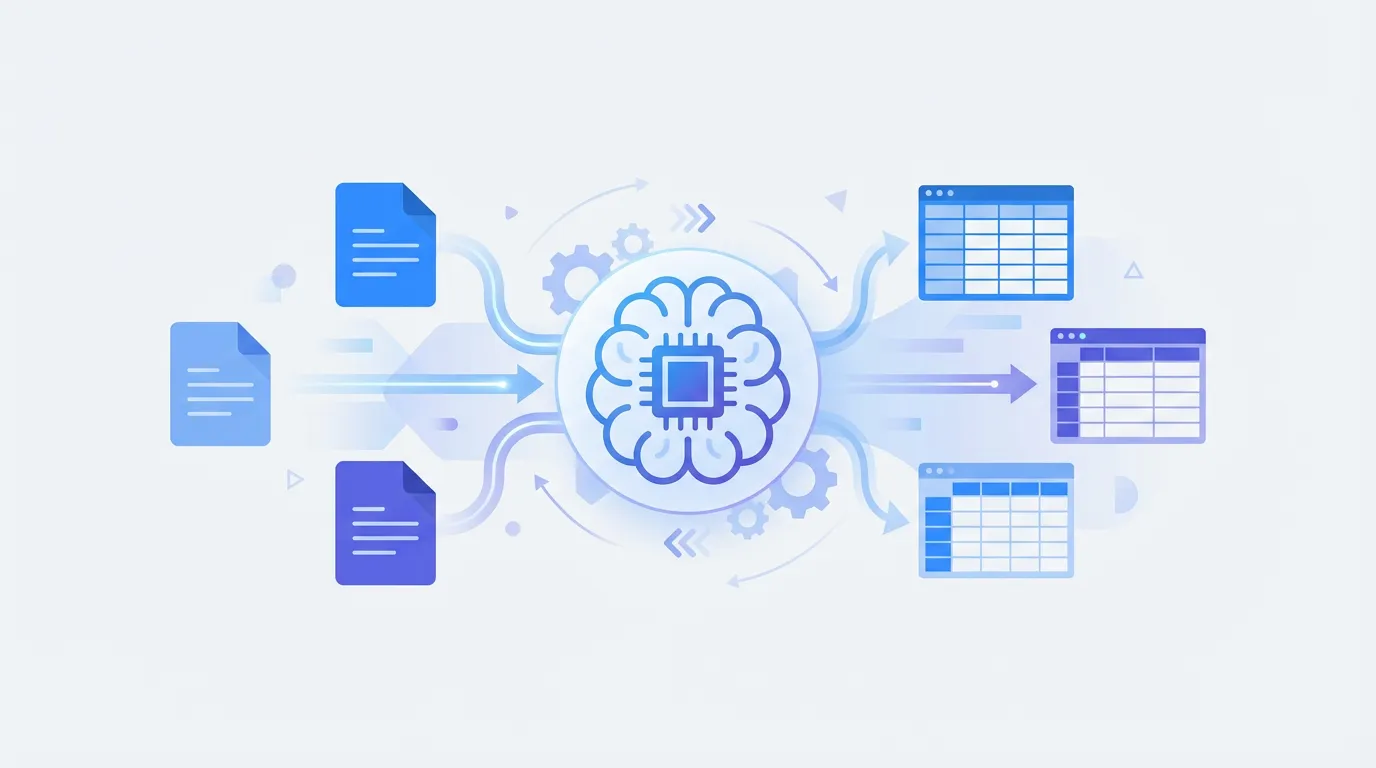
- -Document parsing converts unstructured documents (PDFs, emails, invoices) into structured, machine-readable data — Document parsing converts unstructured documents (PDFs, emails, invoices) into structured, machine-readable data
- -OCR reads characters; AI-powered parsing understands document structure, tables, and field relationships — OCR reads characters; AI-powered parsing understands document structure, tables, and field relationships
- -Template-based parsers require manual setup per document format; AI parsers adapt automatically to new layouts — Template-based parsers require manual setup per document format; AI parsers adapt automatically to new layouts
- -Common use cases: invoice processing, bank statement extraction, email data capture, and RAG pipeline ingestion — Common use cases: invoice processing, bank statement extraction, email data capture, and RAG pipeline ingestion
- -No-code platforms like Parsli give non-developers the same AI extraction capabilities as cloud APIs — No-code platforms like Parsli give non-developers the same AI extraction capabilities as cloud APIs
Every business runs on documents — invoices, bank statements, contracts, emails, and forms — but the data locked inside them is almost never machine-readable by default. Document parsing is the process of automatically extracting structured, usable data from those files, so it can be stored, analyzed, or fed into other systems without manual copy-paste.
If you have ever spent an afternoon pulling numbers out of a stack of PDFs into a spreadsheet, you already understand the problem that document parsing solves. This guide covers exactly what document parsing is, how the technology has evolved, and what tools exist today — ranging from developer APIs to no-code platforms.
What Is Document Parsing?
Document parsing is the automated extraction of specific fields and values from unstructured or semi-structured documents into a structured format like JSON, CSV, or a database row. A parser receives a raw file — a PDF invoice, a scanned contract, an email with an attached receipt — and returns a clean, organized output: vendor name, invoice number, line items, totals, dates.
The word 'parsing' comes from computer science, where it describes the process of analyzing a string of text according to formal grammar rules. In the context of documents, it has expanded to mean any systematic method of reading and interpreting document content to identify meaningful fields. The output is always the same: data you can actually use, separated from the document's visual formatting.
Document parsing sits between raw file storage and actionable data. Raw files are hard for software to query. Manually extracted data is slow and error-prone. Parsed data is structured, consistent, and immediately useful for downstream workflows like accounting, ERP ingestion, analytics, or AI pipelines.
Document Parsing vs OCR: What Is the Difference?
OCR (Optical Character Recognition) is the process of converting images of text — whether from a scanned page or a photographed receipt — into machine-readable characters. OCR is one step in document parsing, but it is not the same thing. OCR outputs a flat string of characters. Document parsing takes that string (or the original digital text) and identifies what those characters mean in context.
Think of it this way: OCR reads a scanned invoice and produces a block of text containing the word 'Total' followed by '$4,280.00'. Document parsing understands that '$4,280.00' is the invoice total and should be mapped to a 'total_amount' field in your output. OCR is a character-level technology; document parsing is a meaning-level technology.
Modern AI-powered parsers integrate OCR internally, so you never have to run OCR as a separate step. You supply the document; the parser handles text extraction, layout analysis, and field recognition as a single pipeline. Older, template-based parsers often required you to ensure clean OCR output before applying extraction rules.
Types of Documents You Can Parse
PDFs (native and scanned)
PDFs are the most common document format for business data and come in two distinct varieties. Native PDFs contain actual text layers embedded in the file — these are PDFs created directly from Word documents, accounting software, or web exports. Scanned PDFs are images of physical documents, containing no machine-readable text at all.
Template-based parsers typically struggle with scanned PDFs because they rely on positional rules applied to extractable text. AI-powered parsers handle both native and scanned PDFs through the same pipeline, since they apply visual understanding on top of OCR output rather than relying on character positions alone.
Emails and email attachments
Email is one of the largest unstructured data sources in any business. Order confirmations, shipping notifications, vendor invoices, and client requests all arrive as either email body text or as PDF and image attachments. Parsing emails means extracting data from both the body and any attached files in a single pass.
Email-based document parsing is especially valuable for accounts payable teams that receive invoices as PDF attachments via Gmail or Outlook — or for operations teams processing insurance claims and utility bills. Connecting a dedicated inbox to a parsing pipeline means every incoming document is automatically processed and its data forwarded to a spreadsheet or ERP system.
Images and scanned forms
JPEG, PNG, and TIFF images of physical documents are fully parseable with modern AI. Common examples include photographed receipts, scanned intake forms, handwritten or printed checks, and photos of shipping labels. The key requirement is sufficient image resolution — most AI parsers perform well on images captured with a standard smartphone camera.
Word and Excel files
DOCX and XLSX files are semi-structured and contain embedded text that can be read directly without OCR. Parsing Word documents is useful for extracting data from standardized contract templates, employment agreements, or intake forms. Excel parsing is less about OCR and more about identifying which cells or columns contain the target fields across different spreadsheet layouts.
How Document Parsing Works — Step by Step
Step 1: Document ingestion
The parsing pipeline begins when a document enters the system. This can happen through a direct file upload, an API call with a file or URL, an email forwarding rule, or an automated integration trigger from a tool like Zapier or Make. The ingestion step handles format detection, file validation, and routing to the appropriate extraction engine.
Step 2: Text and layout extraction
For native PDFs, text is extracted directly from the file's internal structure. For scanned PDFs and images, an OCR engine converts the visual content into characters. Advanced systems also perform layout analysis at this stage — identifying text blocks, tables, columns, and page regions — because position and proximity are important signals for understanding field relationships.
Step 3: Structure recognition and field mapping
This is where document parsing diverges most sharply from basic OCR. The parser must recognize which piece of extracted text corresponds to which field in the target schema. In template-based parsers, this is done via predefined coordinate rules or keyword anchors. In AI-powered parsers, a language or vision model infers the field identity from context — understanding that the number following 'Invoice No:' is the invoice identifier, regardless of where it appears on the page.
Step 4: Output to structured format
The extracted fields are assembled into the target output format. Most parsers can produce JSON, CSV, or direct integrations with spreadsheets and databases. Some systems apply post-processing at this step: normalizing date formats, standardizing currency codes, or validating that required fields are present. The final output is delivered via API response, webhook, or direct integration.
Template-Based vs AI-Powered Document Parsing
There are three distinct generations of document parsing technology in active use today. Each makes different trade-offs between setup effort, maintenance burden, and flexibility.
- Template-based parsing — requires you to define extraction rules for each document layout. Fast and predictable for fixed formats, but breaks when a vendor changes their invoice design. Tools: Docparser, Parseur.
- ML-trained model parsing — trains a machine learning model on labeled samples of your specific documents. More flexible than templates, but requires annotated training data (often 50–200 samples per document type) and retraining when layouts change. Tools: Nanonets, Rossum.
- AI/VLM-based parsing — uses large vision-language models to understand documents the same way a human reader would. No templates, no training data. Works on new document layouts on the first attempt. Tools: Parsli, Google Document AI (latest), AWS Textract Analyze with Queries.
Parsli parses any document layout without templates or training data. Free forever up to 30 pages/month.
Common Document Parsing Use Cases
Invoice and AP automation
Invoice processing is the highest-volume document parsing use case for most businesses. A typical accounts payable workflow involves receiving invoices by email, extracting vendor name, invoice number, due date, line items, and totals, then posting that data to an accounting system. Manual processing takes 5–10 minutes per invoice. Automated parsing takes seconds.
The challenge with invoice parsing is layout diversity — every vendor uses a different invoice template. Template-based parsers require a separate template for each vendor. AI parsers handle new vendor formats automatically, making them the practical choice for any business receiving invoices from more than a handful of suppliers.
Bank statement extraction and reconciliation
Bank statements are dense, multi-page documents with transaction tables that are notoriously hard to parse with traditional tools. Each bank uses a different layout, and the same bank may use different formats for different account types. AI-powered parsers extract transaction rows — date, description, debit, credit, balance — into clean tabular data suitable for reconciliation or cash flow analysis.
Email data extraction and inbox automation
Forwarding a Gmail inbox to a document parser enables fully automated data capture from incoming emails. Common applications include extracting order details from e-commerce confirmation emails, pulling tracking numbers from shipping notifications, and capturing client request details from inbound support emails. The parsed data flows automatically into a spreadsheet, CRM, or database.
RAG pipelines and LLM document ingestion
Retrieval-Augmented Generation (RAG) systems require clean, structured text extracted from source documents before that content can be embedded and indexed. Document parsing is the ingestion layer of any RAG pipeline — transforming raw PDFs and files into the text chunks that a language model can search over. High-quality parsing at ingestion directly improves the accuracy of downstream LLM responses.
Document Parsing in Code vs No-Code Tools
Developers typically implement document parsing by calling a cloud API — AWS Textract, Google Document AI, or a similar service — and writing custom code to map the API response to their data schema. This approach is highly flexible and has a low per-page cost at scale, but it requires engineering time to build and maintain the integration, handle error cases, and adapt to new document layouts.
No-code document parsing platforms abstract all of that into a web interface. You define the fields you want to extract, upload documents or connect an inbox, and the platform handles the entire pipeline. The trade-off is less customization compared to raw API access, but for most structured-data extraction tasks, no-code tools produce equivalent results in a fraction of the setup time.
The practical decision comes down to volume and technical resources. Teams processing thousands of documents per day with complex transformation logic will typically prefer a code-based approach or a managed enterprise platform. Teams processing dozens to hundreds of documents per month, where a developer is not available, will find no-code tools far more practical.
How Parsli Approaches Document Parsing
Parsli is built on the principle that document parsing should require zero training data and zero template setup. It uses Google Gemini 2.5 Pro — a multimodal vision-language model — to read documents the way a human analyst would, understanding layout, context, and field relationships without prior exposure to the specific document format.
- No templates required — Parsli extracts from any document layout on the first attempt, with no per-vendor or per-format setup
- Handles scanned and native PDFs equally — OCR is handled internally by the same model pipeline
- No-code schema builder — define your extraction fields in plain English through a web interface, no code required
- Gmail inbox automation — forward a dedicated email address to Parsli to auto-process every incoming document
- Integrations — direct export to Google Sheets, plus Zapier, Make, and webhook support for connecting to any downstream system
- REST API — full API access for developers who want to embed Parsli extraction into their own applications
Parsli's free plan processes 30 pages per month with no credit card required, making it accessible for individuals and small teams evaluating AI document parsing for the first time. Paid plans start at $20 per month for higher volume.
Document parsing has moved from a developer-only capability to something any team can deploy without writing code. The choice of tool comes down to document variety and technical resources — AI-powered platforms handle any format without templates; rule-based tools work well for fixed, predictable layouts at lower cost. The key is to match the tool to your actual document diversity, not your ideal scenario.
Frequently Asked Questions
What is document parsing?
Document parsing is the automated process of extracting specific data fields from unstructured or semi-structured documents — PDFs, images, emails, Word files — and converting that data into a structured, machine-readable format like JSON or CSV. Rather than reading a document manually and retyping the data, a parser identifies and captures the relevant fields automatically, making the data immediately available for downstream systems.
What is the difference between document parsing and OCR?
OCR (Optical Character Recognition) converts images of text into machine-readable characters. Document parsing takes the next step: it interprets those characters in context to identify what they mean. OCR outputs raw text; document parsing outputs structured data with labeled fields. Modern AI parsers include OCR as an internal step, so the distinction is mostly invisible to the end user, but conceptually they solve different problems.
Can AI parse scanned PDFs?
Yes. AI-powered document parsers handle scanned PDFs by running OCR on the image layers of the file and then applying language and vision model understanding to extract fields. The quality of extraction from scanned documents depends on scan resolution and image clarity, but modern AI parsers perform well on typical office-quality scans and most smartphone-captured images of documents.
What programming languages are used for document parsing?
Python is the most common language for custom document parsing pipelines, with libraries like PyMuPDF, pdfplumber, and pytesseract for text extraction, and direct SDK access to cloud APIs like AWS Textract and Google Document AI. JavaScript and Node.js are also widely used for document parsing in web applications. Most cloud parsing APIs are language-agnostic, accessible via REST from any language.
Does Parsli support all document types?
Parsli supports PDFs (both native and scanned), JPEG and PNG images, Word documents (DOCX), and Excel files (XLSX). It also processes email body content and [email attachments](/guides/parse-email-attachments-with-zapier) when connected to a Gmail inbox via the email forwarding feature. For most structured document extraction use cases — invoices, bank statements, contracts, forms — Parsli handles the file types you are most likely to encounter.
How accurate is AI-powered document parsing?
Accuracy for AI-powered document parsing on clearly structured documents like invoices and bank statements typically exceeds 95% for key fields, and is often above 99% on high-quality native PDFs. Accuracy decreases on low-resolution scans, [handwritten text](/guides/extract-data-from-handwritten-documents), and highly complex multi-column layouts. The best way to evaluate accuracy for your specific documents is to run a [sample batch](/guides/batch-process-documents-automatically) through a free trial — most platforms including Parsli offer free tiers for exactly this purpose.
Related Resources
More Guides
How to Extract Line Items from Invoices Automatically
Learn 3 methods to extract line items from invoices — manual, Python, and AI-powered. Compare accuracy, speed, and cost for each approach.
Document ExtractionHow to Extract Data from Bank Statements (PDF to Excel)
Learn how to extract transactions, balances, and account details from bank statement PDFs. Compare manual, Python, and AI methods.
Data ConversionHow to Convert Receipts to Spreadsheet Data
Learn how to convert paper and digital receipts into structured spreadsheet data. Compare scanning apps, OCR tools, and AI extraction.
Talal Bazerbachi
Founder at Parsli