Build with the API
Authentication
API keys are bearer tokens scoped to one parser, shown once at creation. How to create, use, scope, and rotate them.
Creating a key
Open the Parser you want to call, go to Settings, and create a key.
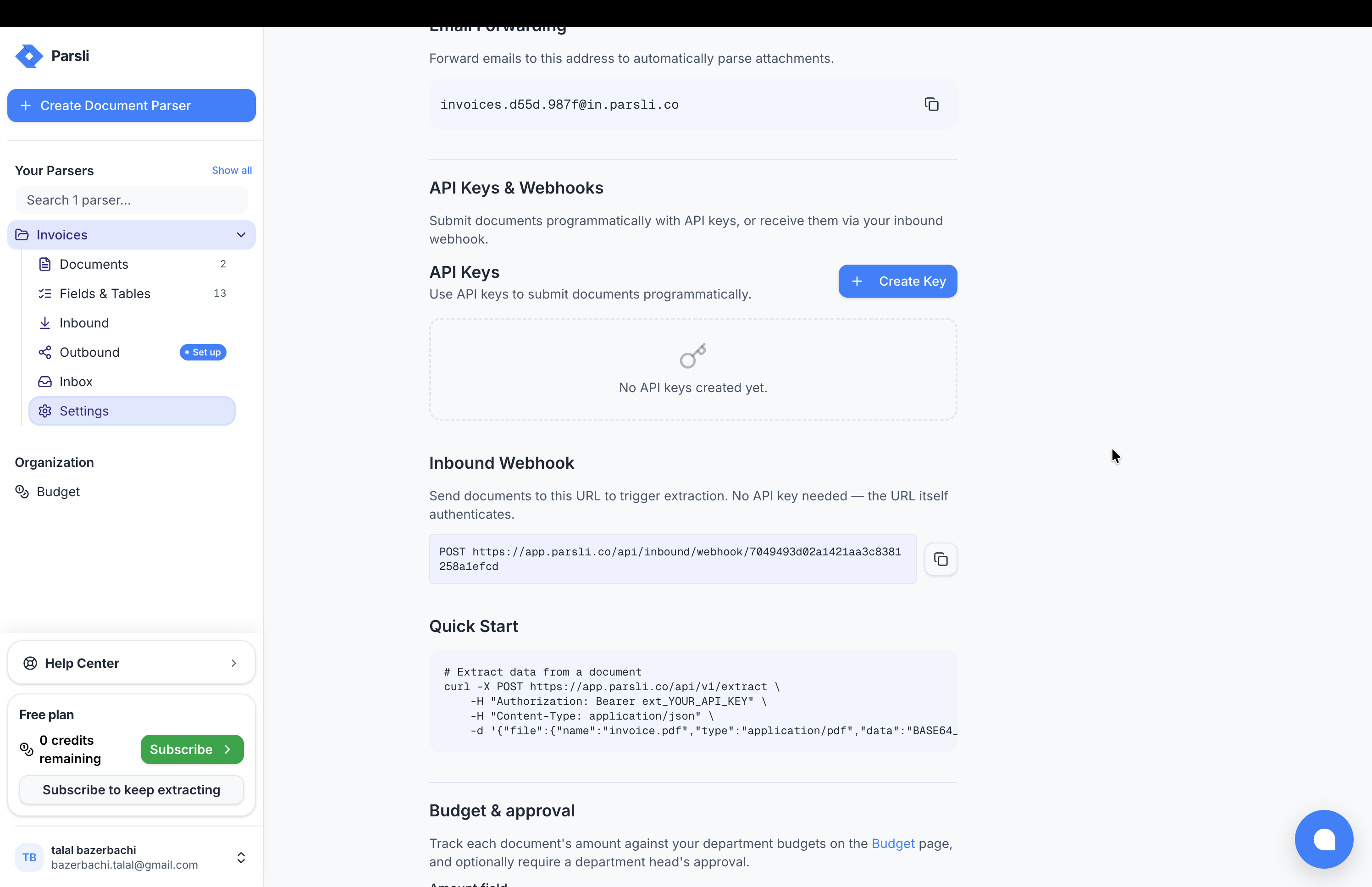
Important: The key is shown once, at the moment you create it. It is stored as a hash, so it cannot be shown again or recovered. Copy it into your secret store before closing the dialog. If you lose it, revoke it and create another — that is the only path.
Using a key
curl https://parsli.co/api/v1/extract \
  -H "Authorization: Bearer ext_YOUR_API_KEY" \
  -H "Content-Type: application/json" \
  -d '{ "file": { "name": "invoice.pdf", "type": "application/pdf", "data": "..." } }'
Keys are prefixed ext_. That prefix is deliberate: it makes keys greppable in logs and recognisable to secret scanners.
Keys are scoped to one parser
A key authenticates and selects. The parser is inferred from the key, which is why no endpoint takes a parser id.
The consequences are worth stating plainly:
- One key cannot reach two parsers. Calling five parsers means five keys.
- A leaked key exposes one parser, not your account. This is the main reason for the design.
- Revoking a key breaks only what used it. No blast radius across your integration.
Give each system its own key — your production backend, your staging environment, and that one Zap should not share credentials.
Rotating a key
There is no in-place rotation, and that is intentional — an atomic swap would give you a window where you cannot tell which system is using which secret.
- Create a new key alongside the old one.
- Deploy the new key.
- Confirm traffic has moved.
- Revoke the old key.
Both keys work during the overlap, so there is no downtime.
API keys versus the inbound webhook
Two ways in, for genuinely different situations.
| API key | Inbound webhook | |
|---|---|---|
| Credential | Authorization header | A token inside the URL |
| Create and revoke many | Yes | One per parser |
| Returns extracted data | Yes | No — it accepts a document |
| Best for | Code you control | No-code tools that only send a URL |
Use an API key wherever you can set a header. Use the inbound webhook when a tool will only accept a URL and cannot be told to send headers.
Important: The inbound webhook's token is in the URL, so it will appear in logs, browser history, and referrer headers in a way a header-based credential will not. Treat that URL as a secret, and prefer an API key when you have the choice.
Errors
A missing, malformed, or revoked key returns 401. See errors.
Something here wrong or missing? Tell us — we treat it as a bug.