Get documents in
Get documents in
Upload, email, or send from another system. Every route into a parser, and which one fits your situation.
A document can reach a Parser four ways. They are equal — once a document is in, nothing downstream cares how it arrived.
| Route | Good for | Anyone need an account? |
|---|---|---|
| Upload | Files already on your computer | Yes |
| Documents that arrive as email anyway | No — just send to an address | |
| Inbox | Colleagues who should not need a login | No |
| API or webhook | Another system sending automatically | No — it authenticates with a key |
Most teams end up using two: email for what suppliers send, and upload for what someone has on their desktop.
Uploading
On the parser's Documents page, press Upload new document (bottom right) and pick your files. Older accounts see a drop area above the table instead — drag files onto it, or click it to browse.
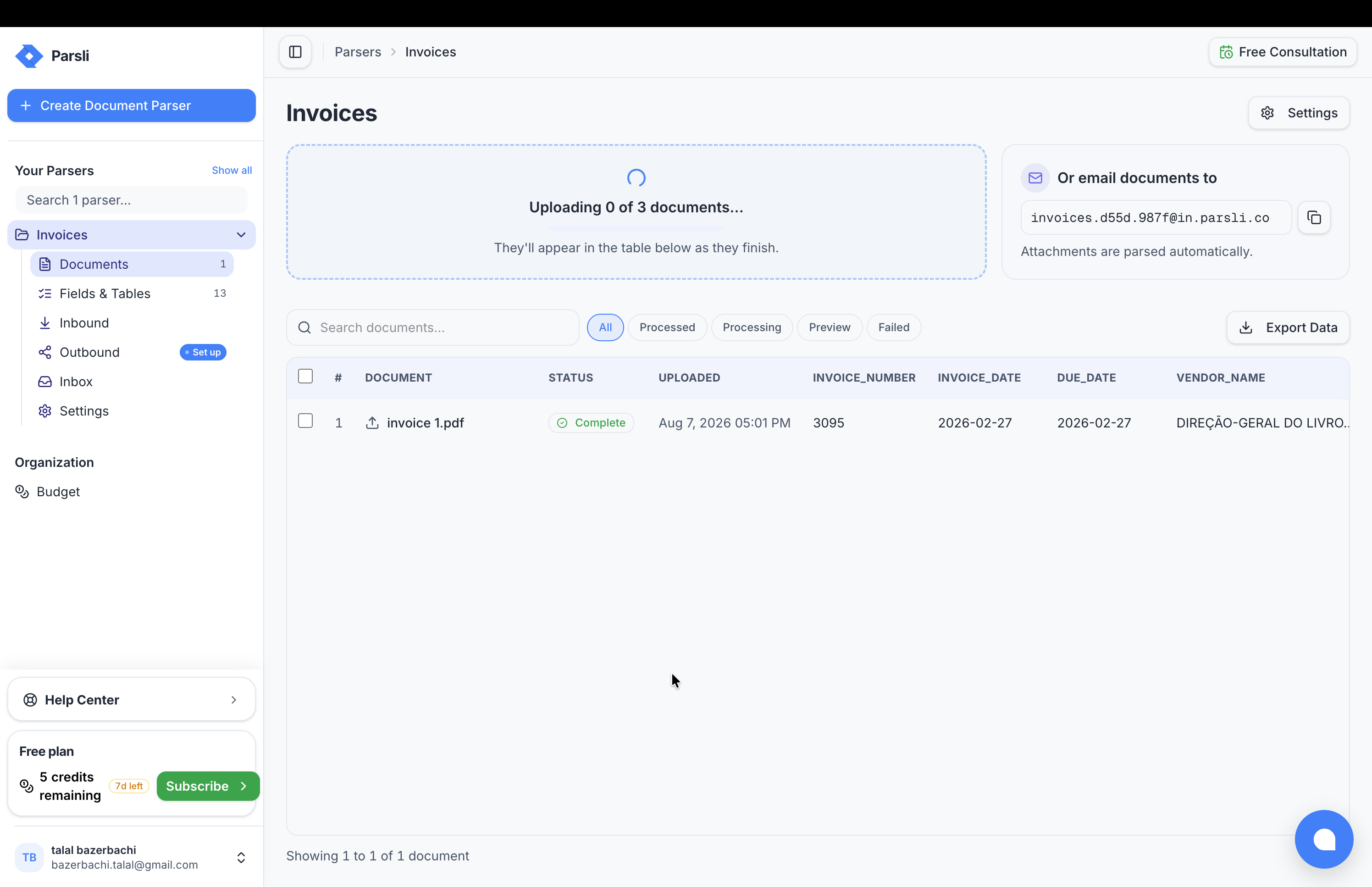
You are not limited to one at a time:
- Select many files at once
- Upload a whole folder — choose Bulk upload from the ▾ menu beside the Upload button (or drag the folder onto the drop area); Parsli walks it and takes every document inside
- Upload a ZIP — it is unpacked and the contents processed
Large batches process a few at a time rather than all at once, so a folder of five hundred files works without anything falling over.
Files up to 300MB are accepted.
Tip: While you are still tuning a Field definition, test with one representative document rather than the whole batch. Each extraction costs credits, and one document tells you almost everything a hundred would.
By email
Every parser has its own Inbound email address. Anything sent there is processed automatically.
This is usually the highest-leverage route, because most documents are already arriving by email. Forward them, or give the address to a supplier and skip the forwarding.
Parsli treats one email as one document — the body, the sender, and any attachments are combined into a single record rather than split into separate ones. An invoice PDF with the context of its covering note stays together, and a signature logo does not become a document of its own.
You can also connect a Gmail inbox so Parsli watches a real mailbox and picks up attachments from a specific sender.
Full detail: by email.
From another system
Two options, depending on what is calling you.
The API — for code you control. Authenticated with a bearer token, returns extracted data, handles files of any size via the upload route.
The Inbound webhook — a per-parser URL that accepts a document with no headers at all. The route for no-code tools that will only let you paste a URL.
Full detail: from another system.
What Parsli accepts
| Format | Extensions | How it is read |
|---|---|---|
.pdf | Text and layout together; scanned pages read visually | |
| Images | .png .jpg .jpeg .webp .gif .bmp | Read visually — OCR is built in, no separate step |
| Word | .docx .doc | Text extraction |
| Spreadsheets | .xlsx .xls | Converted to tabular text |
| Plain text | .txt .csv .json .xml .md | Read directly |
Scans and photographs need no preprocessing. A photo of a receipt taken on a phone is a first-class input.
What it costs
One Credit per Page, whatever the route. A three-page PDF costs three whether you uploaded it, emailed it, or posted it over the API. See how pages are counted.
Something here wrong or missing? Tell us — we treat it as a bug.