Send data out
Send data out
Every place extracted data can land — spreadsheets, accounting systems, automation tools, and your own endpoints.
Once a Document is extracted, its data goes wherever you need it. Connections live under the parser's Outbound.
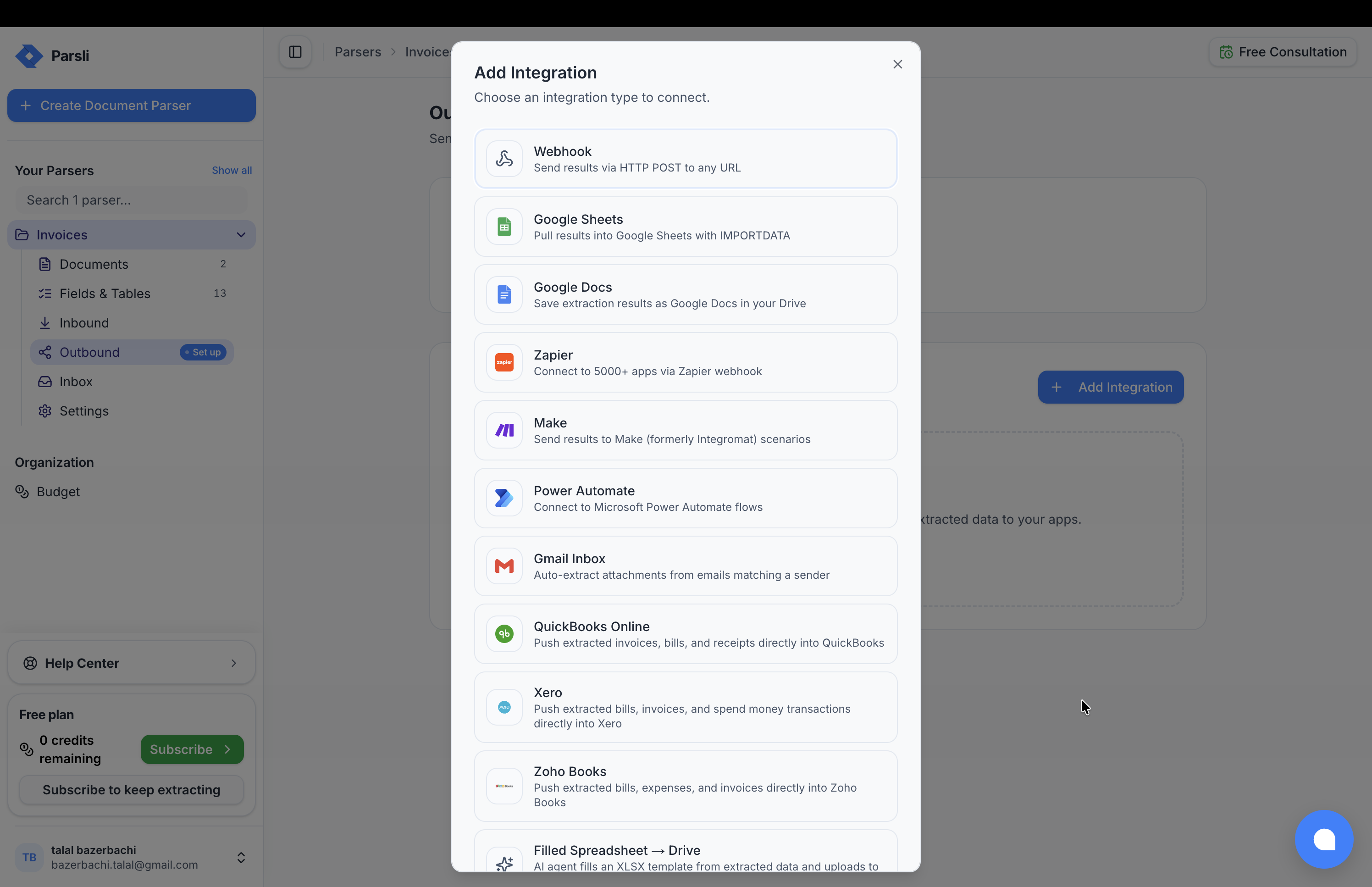
Every Integration fires on every completed document, independently. Add as many as you like; one failing does not stop the others.
What you can connect
| Where | Integration | Good for |
|---|---|---|
| Spreadsheets | Google Sheets | A live sheet that fills itself |
| Documents | Google Docs | A formatted document per extraction |
| Accounting | QuickBooks Online, Xero, Zoho Books | Filing bills and invoices into your books |
| Automation | Zapier, Make, Power Automate | Reaching anything else |
| Your system | Webhook | Full control |
| Templates | Filled Spreadsheet → Drive | Populating an XLSX template you already use |
| Alerts | Email notification | Telling a person something arrived |
| Research | InfoQuest Project | Turning briefs into research projects |
Picking one
You want the data in a spreadsheet. Google Sheets. A formula in one cell, and the sheet keeps itself current. See spreadsheets and documents.
You want bills in your accounting system. Connect QuickBooks, Xero, or Zoho Books directly. Fewer moving parts than routing through an automation tool, and the field mapping is built in. See accounting systems.
You want to reach something else entirely. Zapier, Make, or Power Automate connect to thousands of applications. See automation tools.
You are writing the receiving code. A Webhook is the direct route — the full result, the moment it is ready. See webhooks.
Someone just needs to know. An email notification tells a person a document arrived, without giving them a Parsli account.
Combining them
Integrations are independent, so the useful patterns compose:
- QuickBooks + Google Sheets — bills go into the books, and a sheet keeps a running log the finance team can filter.
- Webhook + email notification — your system records it, and a person gets told when something needs attention.
- Zapier + accounting — the direct connection handles the standard case, and a Zap handles the exception.
Testing before you trust it
Every integration has a test action. Use it — a webhook pointing at a typo is invisible until documents start disappearing.
For accounting connections especially, run one real document through and check what landed in the ledger before switching on a supplier's mailbox.
When one fails
A failing integration does not fail the extraction. The document is still processed, the result is still stored, and the other integrations still fire. The failure is recorded against that integration.
Common causes, in order:
- The endpoint moved. A webhook URL that 404s.
- Authorisation expired. Accounting connections need re-authorising when the upstream token is revoked.
- The target rejected the data. Usually a required field arriving
null— see check the results.
Getting data out without an integration
Not everything needs a connection:
- Download Data, at the top of the Outbound page, exports every processed document as CSV, JSON, or TXT in one click. There is also an Export Data action on the Documents page.
- Poll the API with
GET /api/v1/documents/{id} - The Google Sheets feed is a plain CSV URL, readable by anything that speaks HTTP
For a one-off — a month-end export, a hand-off to an accountant — the download is usually the right answer. Integrations are for the recurring case.
Something here wrong or missing? Tell us — we treat it as a bug.